
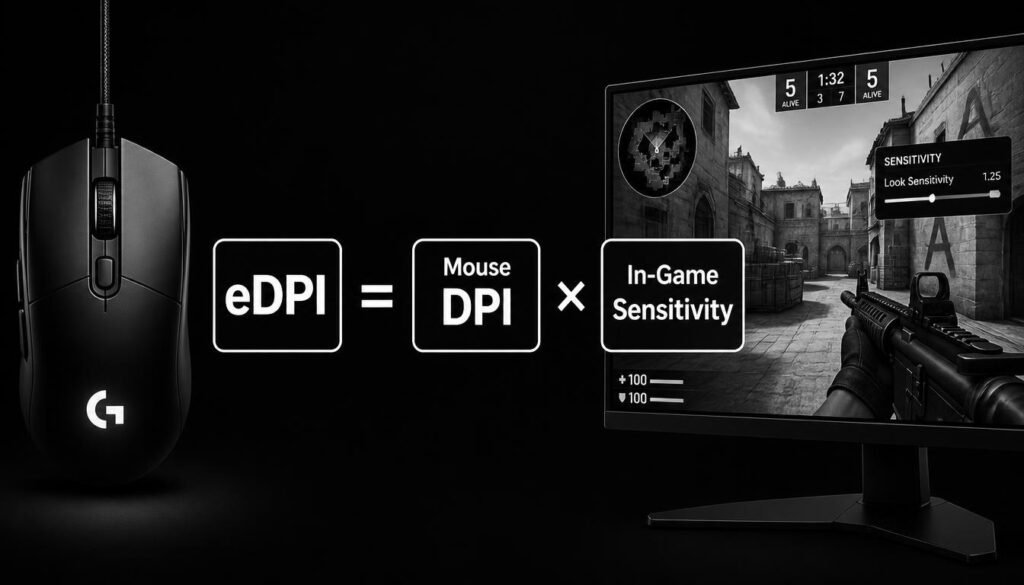
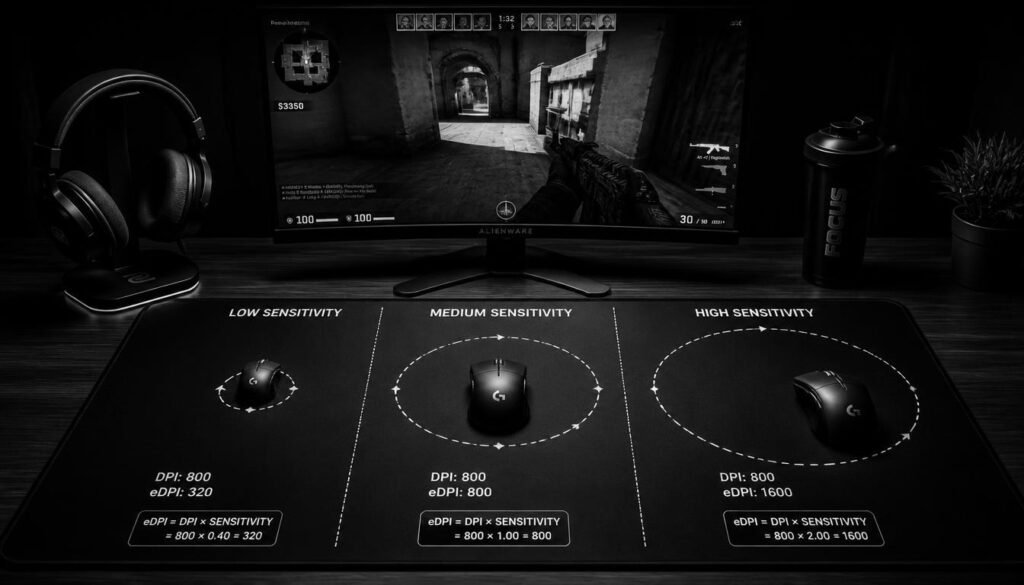
How to calculate eDPI is simple: multiply your mouse DPI by your in-game sensitivity.
eDPI = Mouse DPI × In-Game Sensitivity
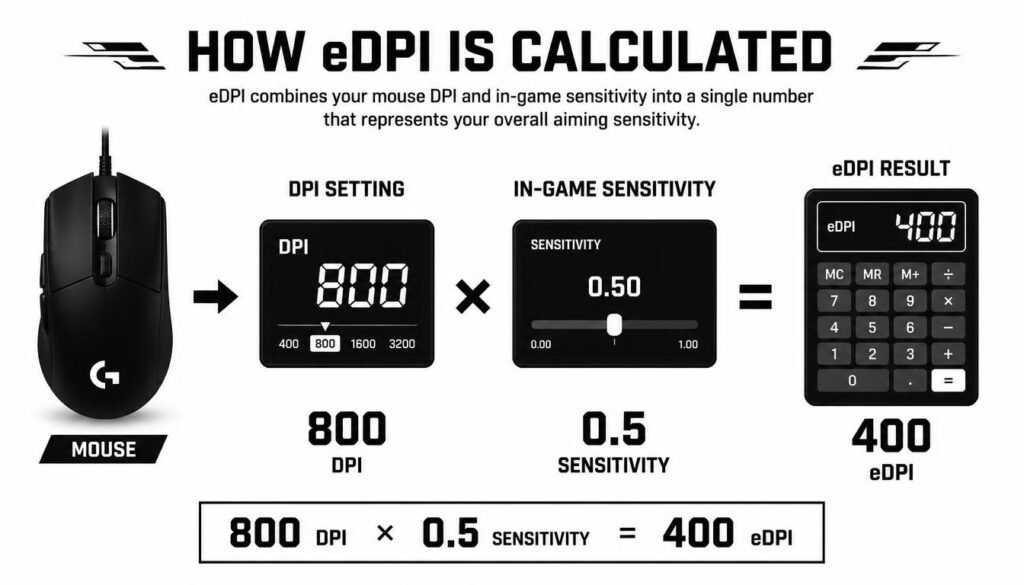
For example, if your mouse is set to 800 DPI and your game sensitivity is 0.5, your eDPI is:
800 × 0.5 = 400 eDPI
eDPI helps you understand your overall mouse sensitivity without focusing on DPI or in-game sensitivity separately. In this guide, you’ll learn how to calculate eDPI, compare settings, convert sensitivity, avoid common mistakes, and understand what your eDPI means in practice.
Table of Contents
What Is eDPI?
eDPI stands for effective DPI. It combines your physical mouse DPI with your in-game sensitivity into one number.
The basic formula is:
eDPI = DPI × In-Game Sensitivity
This makes it easier to compare mouse sensitivity settings between players using the same game.
For example:
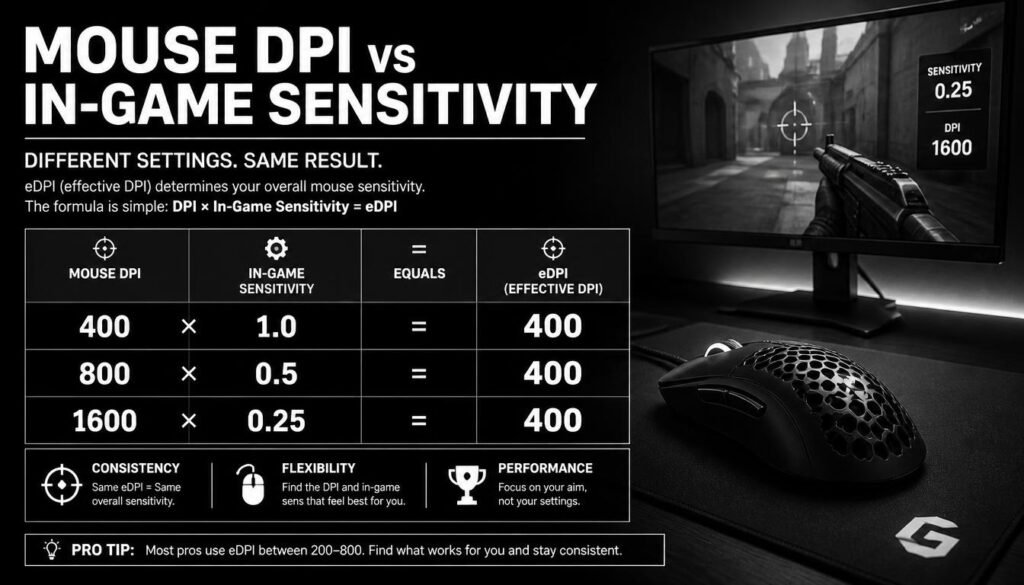
| Mouse DPI | In-Game Sensitivity | eDPI |
|---|---|---|
| 400 | 1.0 | 400 |
| 800 | 0.5 | 400 |
| 800 | 1.0 | 800 |
| 1600 | 0.25 | 400 |
| 1600 | 0.5 | 800 |
Although the DPI and sensitivity values are different, some of these setups produce the same eDPI.
How to Calculate eDPI
To calculate eDPI, you only need two numbers:
- Your mouse DPI
- Your in-game sensitivity
Then multiply them together.
eDPI Formula
eDPI = Mouse DPI × In-Game Sensitivity
Example 1: 800 DPI and 0.5 Sensitivity
Suppose your mouse uses 800 DPI and your game sensitivity is 0.5.
800 × 0.5 = 400
Your eDPI is 400.
Example 2: 400 DPI and 1.2 Sensitivity
400 × 1.2 = 480
Your eDPI is 480.
Example 3: 1600 DPI and 0.25 Sensitivity
1600 × 0.25 = 400
Your eDPI is 400 again.
This shows why eDPI can be useful. Two players can use different DPI and sensitivity combinations but still have the same effective sensitivity in a particular game.
How to Calculate eDPI Step by Step
The process only takes a few seconds.
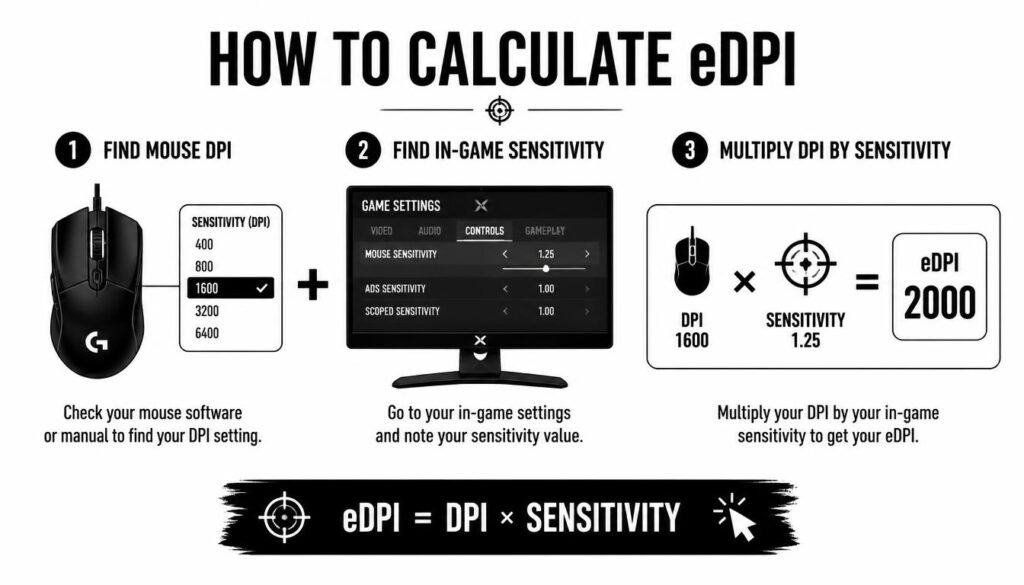
Step 1: Find Your Mouse DPI
Check the DPI setting used by your mouse. You may find it in your mouse software, through a DPI button, or in the device settings.
Common DPI settings include:
- 400 DPI
- 800 DPI
- 1200 DPI
- 1600 DPI
Step 2: Find Your In-Game Sensitivity
Open the settings menu of your game and find the mouse or aim sensitivity value.
For example, your sensitivity might be 0.5, 1.0, 2.0, or another value depending on the game.
Step 3: Multiply DPI by Sensitivity
Use the formula:
DPI × Sensitivity = eDPI
If your DPI is 800 and your sensitivity is 0.5:
800 × 0.5 = 400 eDPI
That’s it.
How to Calculate eDPI From Any DPI and Sensitivity
The same formula works for any compatible DPI and sensitivity combination.
| DPI | Sensitivity | Calculation | eDPI |
|---|---|---|---|
| 400 | 0.75 | 400 × 0.75 | 300 |
| 400 | 1.5 | 400 × 1.5 | 600 |
| 800 | 0.25 | 800 × 0.25 | 200 |
| 800 | 0.5 | 800 × 0.5 | 400 |
| 800 | 1.0 | 800 × 1.0 | 800 |
| 1600 | 0.25 | 1600 × 0.25 | 400 |
| 1600 | 0.5 | 1600 × 0.5 | 800 |
| 3200 | 0.125 | 3200 × 0.125 | 400 |
The important point is that eDPI represents the product of the two values, not either value by itself.
How to Calculate Your eDPI in Different Games
The formula is straightforward, but eDPI is game-specific.
Different games can use different sensitivity scales and input systems. Because of this, an eDPI number from one game does not automatically have the same meaning in another game.
For example, an eDPI of 400 in one game should not automatically be treated as identical to 400 eDPI in another game.
eDPI in Valorant
For Valorant, you can calculate eDPI with:
Valorant eDPI = Mouse DPI × Valorant Sensitivity
Example:
800 DPI × 0.5 sensitivity = 400 eDPI
eDPI in CS2
For Counter-Strike 2, use the same basic multiplication:
CS2 eDPI = Mouse DPI × CS2 Sensitivity
Example:
800 DPI × 1.0 sensitivity = 800 eDPI
The calculation is simple, but the resulting number should generally be compared with other settings within the same game.
What Does eDPI Tell You?
eDPI gives you a quick way to describe your effective sensitivity.
A higher eDPI generally means your in-game aim responds more quickly to a given mouse movement.
A lower eDPI generally means you need more physical mouse movement to make the same type of on-screen movement.
However, eDPI is not a complete measurement of aiming performance. Your mousepad size, aiming technique, field of view, game settings, and other factors can also affect how the sensitivity feels.
What Is the Difference Between DPI and eDPI?
DPI and eDPI are related, but they are not the same thing.
DPI describes how sensitive the mouse’s input is before the game applies its own sensitivity setting.
eDPI combines the mouse DPI with the game’s sensitivity into one number.
For example:
- Mouse DPI = 800
- Game sensitivity = 0.5
- eDPI = 400
So, DPI is one part of the equation, while eDPI represents the combined result.
Is Higher eDPI Better?
There is no single eDPI that is best for everyone.
A higher eDPI can make it easier to turn quickly with smaller mouse movements, while a lower eDPI may allow more physical movement for fine aiming.
Your ideal setting depends on the game, your mousepad, your preferred aiming style, and what feels controllable to you.
Instead of choosing an eDPI simply because another player uses it, focus on finding a sensitivity that lets you aim consistently.
How to Find Your eDPI Without a Calculator
You do not need a special tool to calculate eDPI.
Simply multiply your two values.
For example:
1600 DPI × 0.3 sensitivity = 480 eDPI
For decimal sensitivities, write the numbers down and multiply them normally.
Some users prefer an online eDPI calculator because it reduces manual calculation and makes it easier to test multiple settings.
How to Reverse the eDPI Formula
You can also use the formula in reverse.
Suppose you know your target eDPI and want to find the sensitivity needed for a specific DPI.
Use:
Sensitivity = Target eDPI ÷ DPI
Example
You want an eDPI of 400 and use 800 DPI.
400 ÷ 800 = 0.5
Your required in-game sensitivity is 0.5.
You can also find the DPI you need with:
DPI = Target eDPI ÷ Sensitivity
For example, with a target eDPI of 400 and sensitivity of 0.5:
400 ÷ 0.5 = 800 DPI
This is useful when changing your mouse DPI while trying to keep the same effective sensitivity.
How to Keep the Same eDPI When Changing DPI
Changing DPI does not have to change your overall sensitivity.
To keep the same eDPI, adjust your in-game sensitivity in the opposite direction.
For example, suppose you currently use:
800 DPI × 0.5 = 400 eDPI
If you switch to 1600 DPI, you can use:
1600 × 0.25 = 400 eDPI
Your DPI doubled, but your sensitivity was cut in half, so the resulting eDPI stayed the same.
Quick Conversion Formula
To preserve the same eDPI:
New Sensitivity = Old eDPI ÷ New DPI
This makes it easy to switch mouse DPI without changing the effective sensitivity value.
Common eDPI Calculation Mistakes
Calculating eDPI is easy, but a few mistakes can lead to incorrect results.
Using the Wrong DPI
Make sure you’re using the DPI your mouse is actually set to. A mouse may have multiple DPI stages, so check the active setting.
Using the Wrong Sensitivity
Use the sensitivity value from the specific game you’re calculating for. Do not accidentally use a different game’s settings.
Comparing eDPI Across Different Games
This is one of the biggest misconceptions.
An eDPI value is most useful for comparisons inside the same game. Different games may handle sensitivity differently, so an identical number does not automatically mean identical mouse movement.
Forgetting Decimal Values
Be careful with numbers such as 0.25, 0.35, or 0.5.
For example:
800 × 0.35 = 280 eDPI
Not 2,800.
Is eDPI the Same as Sensitivity?
No. Sensitivity is the value you set inside the game, while eDPI combines that sensitivity with your mouse DPI.
For example:
800 DPI + 0.5 sensitivity = 400 eDPI
The sensitivity is 0.5. The eDPI is 400.
Does Changing DPI Change eDPI?
Yes, unless you compensate by changing your in-game sensitivity.
For example:
800 DPI × 0.5 = 400 eDPI
Changing to 1600 DPI while keeping sensitivity at 0.5 gives:
1600 × 0.5 = 800 eDPI
Your eDPI has doubled.
But changing the sensitivity to 0.25 gives:
1600 × 0.25 = 400 eDPI
Your eDPI stays the same.
eDPI vs. cm/360
eDPI and cm/360 are related concepts, but they are not the same measurement.
eDPI is a simple calculated value based on DPI and game sensitivity.
cm/360 describes the physical mouse distance needed to rotate 360 degrees in a game.
cm/360 can sometimes provide a more direct way to compare physical aiming movement, especially when comparing different games. Still, eDPI is convenient because it is quick to calculate and widely used within individual games.
Frequently Asked Questions About How to Calculate eDPI
How do you calculate eDPI?
Multiply your mouse DPI by your in-game sensitivity.
eDPI = DPI × Sensitivity
For example, 800 DPI × 0.5 sensitivity = 400 eDPI.
What is the eDPI of 800 DPI and 1 sensitivity?
The eDPI is 800.
800 × 1 = 800 eDPI
What is the eDPI of 400 DPI and 2 sensitivity?
The eDPI is 800.
400 × 2 = 800 eDPI
What is the eDPI of 1600 DPI and 0.25 sensitivity?
The eDPI is 400.
1600 × 0.25 = 400 eDPI
How do I calculate eDPI in Valorant?
Multiply your mouse DPI by your Valorant sensitivity.
For example, 800 DPI with 0.5 sensitivity gives:
800 × 0.5 = 400 eDPI
How do I calculate eDPI in CS2?
Multiply your mouse DPI by your CS2 sensitivity.
For example, 800 DPI with 1.0 sensitivity gives 800 eDPI.
Can two different DPI settings have the same eDPI?
Yes. Different DPI and sensitivity combinations can produce the same eDPI.
For example:
800 × 0.5 = 400
and
1600 × 0.25 = 400
Both setups have 400 eDPI.
Is a lower eDPI always better for aiming?
No. There is no universally best eDPI. The right setting depends on the game, your equipment, aiming style, and personal preference.
Conclusion
Learning how to calculate eDPI only requires a simple multiplication:
eDPI = Mouse DPI × In-Game Sensitivity
For example, an 800 DPI mouse with 0.5 sensitivity gives 400 eDPI. You can also work backward from a target eDPI to find the sensitivity or DPI you need.
The most important thing to remember is that eDPI is most useful when comparing settings within the same game. Use it as a simple way to understand and adjust your sensitivity, then choose the setup that gives you consistent and comfortable control.