🖱️ Mouse Polling Rate Test
🎯 Move your mouse here — rapid motion for accurate Hz
📋 Saved Results
Click "Save Result"
Introduction
Ever wondered if your mouse polling rate test is truly keeping up with you? A polling rate test measures how often your mouse reports its position to your computer – and it makes a big difference, especially in games. If you’ve asked yourself what is a good polling rate for gaming, you’re in the right place.
In this guide, you’ll learn how to test mouse polling rate online, understand your results, and even fix a low polling rate. No downloads needed. Just your mouse and a few seconds. Let’s dive in and see if your gear is performing at its best.
Table of Contents
What Exactly Is a Polling Rate Test and Why Does It Count?
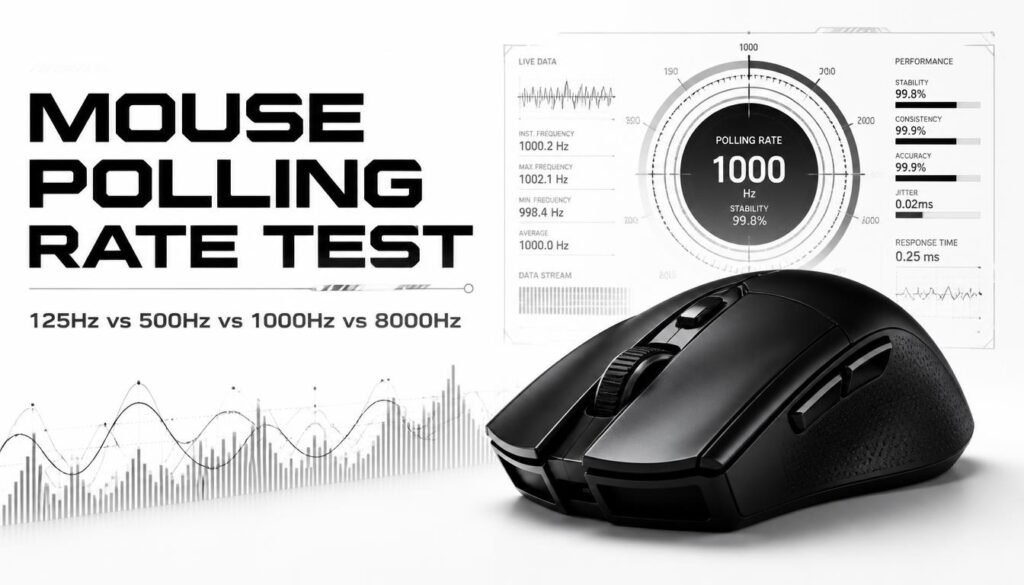
A polling rate test measures the number of times per second your mouse communicates its coordinates to your system. This figure is expressed in Hertz (Hz). Generally, a higher Hz means greater smoothness and a more responsive cursor, which is vital when playing fast-paced titles.
Polling Rate vs. DPI Clearing Up the Confusion
Don’t mistake polling rate for DPI. While DPI dictates how far your cursor travels for a given physical movement, polling rate dictates how frequently that travel data gets transmitted. They’re both important, but they serve entirely different purposes.
Your Real-Time Polling Rate Tool
Go ahead and try it out. Just whisk your mouse around inside the box below, and you’ll see your current polling rate appear instantly. This online mouse rate checker is completely free no downloads, no installations.
For the most accurate data, move your mouse in quick, circular motions for a few seconds. You’ll see both your average and your maximum peak Hz. Ready to put your mouse Hz checker to the test? Jump in right now.
How to Test Your Mouse Polling Rate (A Simple Walkthrough)
The process is straightforward. Start by shutting down any unnecessary background programs. Ensure your mouse is plugged straight into a USB port on your PC, bypassing any hubs or extenders. Then, open the tester mentioned above. Swirl your mouse in fast circles for about 5 to 10 seconds.
Keep an eye on the display as your mouse rate checker reveals your average and top polling rates in Hz. For the most reliable results, perform the test several times. If you notice a surprisingly low figure, try plugging into a different USB port. That’s all there is to it you’re now testing your mouse polling rate like a seasoned pro.
Decoding Your Results: What the Numbers Mean
Understanding Polling Rate Values
- 125Hz equates to an 8ms response time this is entry-level.
- 500Hz gives you a 2ms response, which is solid.
- 1000Hz is the gaming sweet spot at 1ms.
- 4000Hz and 8000Hz are ultra-fast tiers, but they demand a beefy PC to run smoothly.
What is Jitter and Why Does It Matter?
Jitter refers to inconsistent timing between each data report. Even if your average polling rate appears high, excessive jitter can introduce micro-stutters that throw off your aim. A reliable polling rate stability test will highlight low jitter, which is the real key to buttery-smooth tracking.
The Best Polling Rate for Your Needs
For General Use & Office Work
A setting of 125Hz or 500Hz is more than sufficient. You won’t perceive any delay, and it helps preserve battery life on wireless models.
For Competitive & FPS Gaming
1000Hz remains the industry standard, delivering that crisp 1ms response. Is 1000Hz polling rate good? Absolutely. While 4000Hz and above offer marginal improvements, they also consume more CPU resources—so 1000Hz is the proven, reliable choice.
Polling Rate & Wireless Mice
Bluetooth mice typically top out at 125Hz. For serious gaming, switch to a 2.4GHz dongle—that’s your ticket to reaching the full 1000Hz potential.
Browser vs. Desktop Software: Pros & Cons
Browser-based testers are fast and hassle-free no installation required, making them perfect for a quick mouse polling rate test online free. The trade-off? They can struggle to accurately measure very high rates like 4000Hz or 8000Hz.
Desktop software (e.g., MouseTester) delivers deeper accuracy with detailed graphs and better jitter/stability analysis. The downside is you have to download and install it. For the average user, a browser mouse rate checker does the job. For in-depth diagnostics, desktop software wins.
Troubleshooting: Why Your Polling Rate is Low
Fixing a Low or Unstable Polling Rate
Start by checking your mouse’s native software. Next, switch USB ports skip any hubs. Update your drivers. On Windows, you can also adjust the polling rate directly in mouse properties. Often, a mouse polling rate drops fix takes just seconds.
The Impact of High Polling Rates (4000Hz/8000Hz)
These extreme rates put a noticeable load on your CPU. Older game engines may even stutter under the strain. To actually benefit, you’ll need a powerful rig paired with a high-refresh monitor. Otherwise, sticking with 1000Hz polling rate is your safest bet.
Frequently Asked Questions (FAQ)
1. Does polling rate affect DPI?
No. DPI (dots per inch) determines how far your cursor travels relative to physical movement, while polling rate dictates how frequently that movement is reported. They operate independently. You can run a high DPI with a low polling rate, but your cursor movement may feel choppy despite the high sensitivity.
2. Is 8000Hz polling rate worth it for gaming?
For the vast majority, no. 8000Hz shaves only about 0.875ms off the latency compared to 1000Hz a difference that’s imperceptible without a high-end CPU, a 240Hz+ monitor, and elite reflexes. Unless you’re a pro, 1000Hz polling rate remains the smarter choice.
3. How to test mouse jitter accurately?
Use the live tester above and pay attention to the stability percentage. For a more granular look, download MouseTester (free) it provides interval graphs for X and Y axes. Low jitter equals smooth, predictable tracking, while high jitter creates micro-stutters even when your average mouse polling rate looks healthy.
4. Why is my mouse polling rate lower than advertised?
Typical culprits include using a USB hub, plugging into a USB 1.0 port, outdated drivers, or background apps eating up CPU. Bluetooth mice are also often locked at 125Hz. Try connecting directly to a USB 2.0 or 3.0 port, close unnecessary programs, and re-run the polling rate test.
5. Can I change my mouse polling rate without software?
Yes, on Windows you can head to Device Manager > Mice > Properties > Advanced Settings. Some mice also feature a dedicated hardware button or rely on manufacturer software (Logitech, Razer, etc.). On Mac and Linux, you may need terminal commands or third-party utilities.
6. Does polling rate affect battery life on wireless mice?
Definitely. Higher polling rates like 1000Hz drain the battery significantly faster than 125Hz or 250Hz. For daily office use, dial it down to extend runtime. For gaming, either plug in or use a 2.4GHz dongle and accept the shorter battery life in exchange for performance.
7. What’s the difference between polling rate and refresh rate?
Polling rate measures how often your mouse communicates with your PC (in Hz), while refresh rate measures how often your monitor redraws the image (also in Hz). Both influence perceived smoothness. A high polling rate mouse still feels responsive on a 60Hz monitor, but a 240Hz display lets you truly capitalize on 1000Hz or higher.
Conclusion
Now you’re equipped to run a polling rate test and interpret the results with confidence. Whether you’re a casual user or a dedicated competitor, knowing what is a good polling rate for gaming ensures you’re getting peak performance from your gear.
Use the tool above to test your mouse polling rate online free. If the numbers seem off, our troubleshooting steps have you covered. A simple mouse rate checker can expose hidden lag so go ahead, test your mouse, and game with total assurance.