
How to change eDPI depends on the game you play, because eDPI is not usually a setting you can directly change. Instead, you change your mouse DPI and in-game sensitivity, which together determine your eDPI.
For example, if your mouse is set to 800 DPI and your game sensitivity is 0.5, your eDPI is 400. To change it, you can increase or decrease either your DPI, your in-game sensitivity, or both.
This guide explains how eDPI works, how to change it, how to convert your current sensitivity, and how to choose a comfortable setting without constantly changing your aim.
Table of Contents
What Is eDPI?
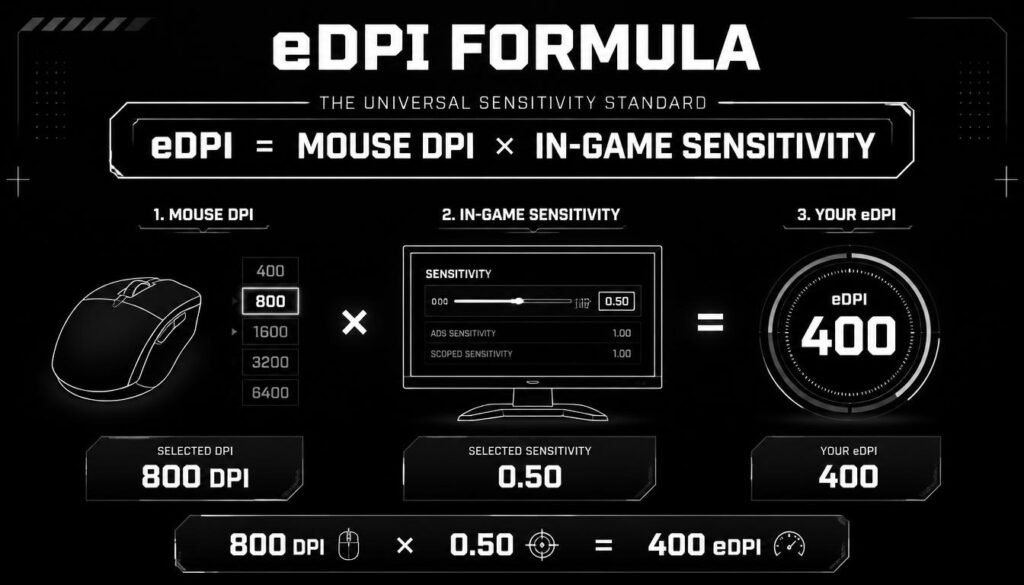
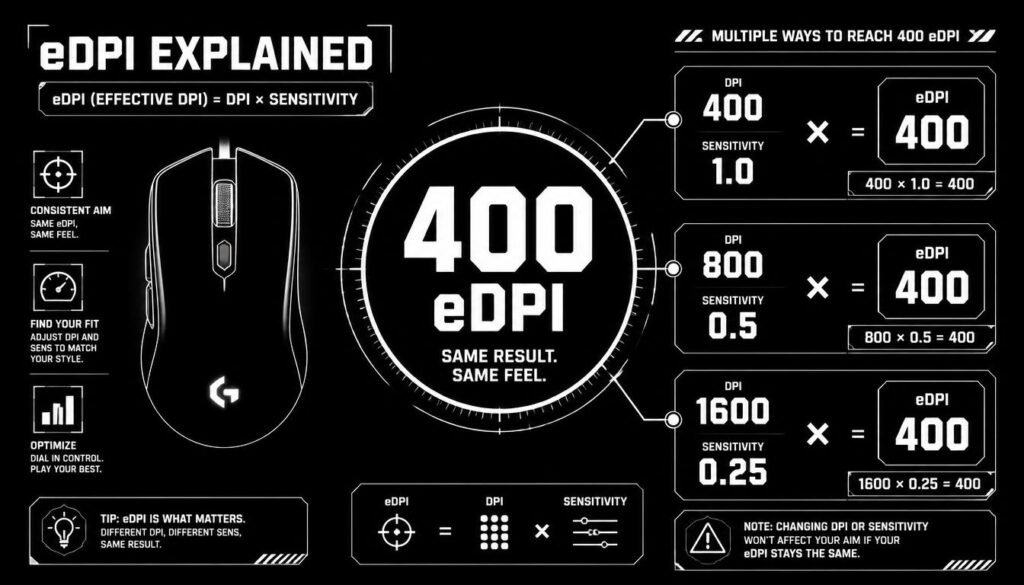
eDPI stands for effective dots per inch. It is a simple way to compare mouse sensitivity across different DPI settings.
The basic formula is:
eDPI = Mouse DPI × In-Game Sensitivity
For example:
- Mouse DPI: 800
- In-game sensitivity: 0.5
- eDPI: 800 × 0.5 = 400
This means two players can use different mouse DPI settings but still have the same eDPI.
For example, 400 DPI × 1.0 sensitivity also gives 400 eDPI.
How to Change eDPI
You cannot normally enter a new eDPI value directly into a game. To change your eDPI, change your mouse DPI, in-game sensitivity, or both.
Method 1: Change Your In-Game Sensitivity
This is usually the easiest way to adjust eDPI while keeping your mouse DPI unchanged.
- Open your game.
- Go to Settings or Options.
- Find the Mouse, Controls, or Sensitivity section.
- Locate your in-game sensitivity.
- Increase the value for faster mouse movement.
- Decrease the value for slower mouse movement.
- Apply the settings and test your aim.
Example
Suppose you currently use:
800 DPI × 0.5 sensitivity = 400 eDPI
If you increase your sensitivity to 0.6:
800 × 0.6 = 480 eDPI
Your eDPI has increased from 400 to 480.
How to Change eDPI by Changing Mouse DPI
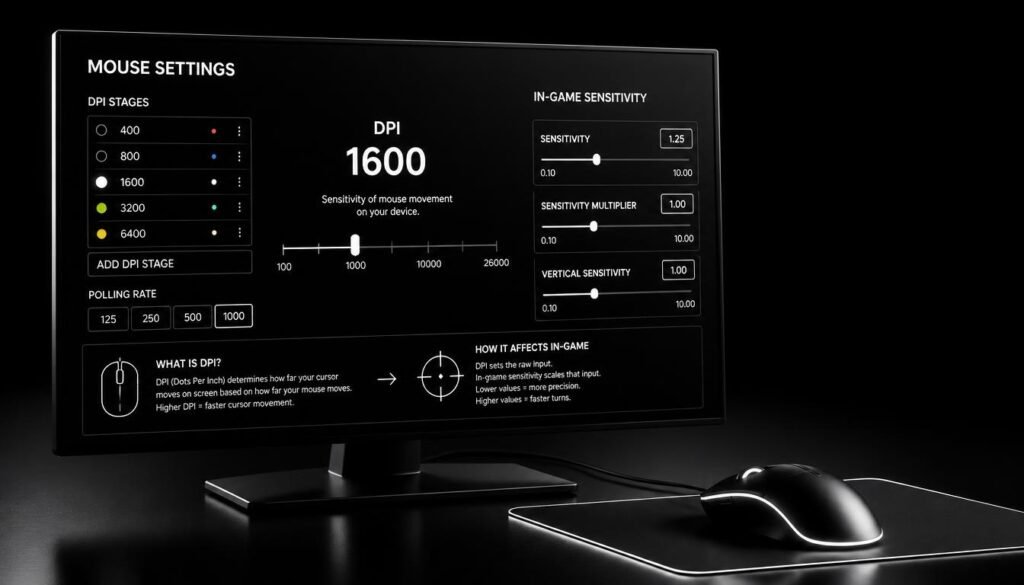
You can also change your eDPI by adjusting the DPI setting on your mouse.
Depending on your mouse, DPI can usually be changed through:
- Mouse software
- A dedicated DPI button
- Onboard mouse profiles
- Manufacturer-specific settings
For example, if you use 800 DPI and 0.5 sensitivity, your eDPI is 400.
If you switch to 1,000 DPI while keeping sensitivity at 0.5:
1,000 × 0.5 = 500 eDPI
Your new eDPI is 500.
Keep in mind that changing DPI without adjusting your in-game sensitivity will also change how fast your aim feels.
How to Increase Your eDPI
To increase eDPI, you can increase your mouse DPI, increase your game sensitivity, or increase both.
For example:
Current:
800 DPI × 0.5 sensitivity = 400 eDPI
New:
800 DPI × 0.6 sensitivity = 480 eDPI
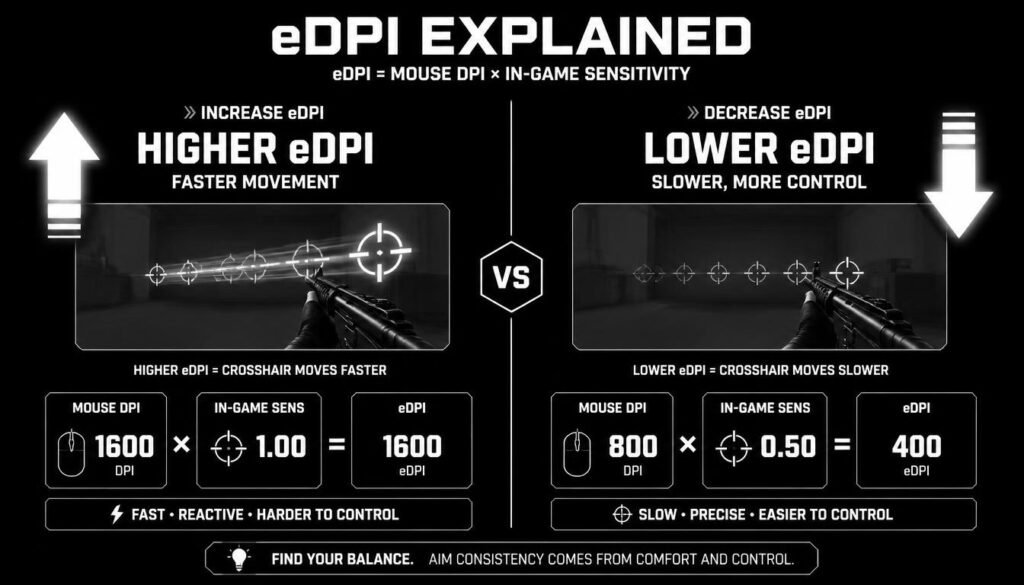
A higher eDPI generally makes the cursor or crosshair move farther with the same physical mouse movement.
This can make turning and quick movements feel faster, but very high sensitivity may feel harder to control for some players.
How to Lower Your eDPI
To lower eDPI, reduce your mouse DPI, reduce your in-game sensitivity, or reduce both.
For example:
Current:
800 DPI × 0.6 sensitivity = 480 eDPI
New:
800 DPI × 0.5 sensitivity = 400 eDPI
Lowering eDPI makes the same physical mouse movement produce less movement on screen.
Many players prefer a lower sensitivity because it can provide more physical room for controlled aiming, although the best setting depends on the player, game, mousepad, and play style.
How to Change eDPI Without Changing Your Aim
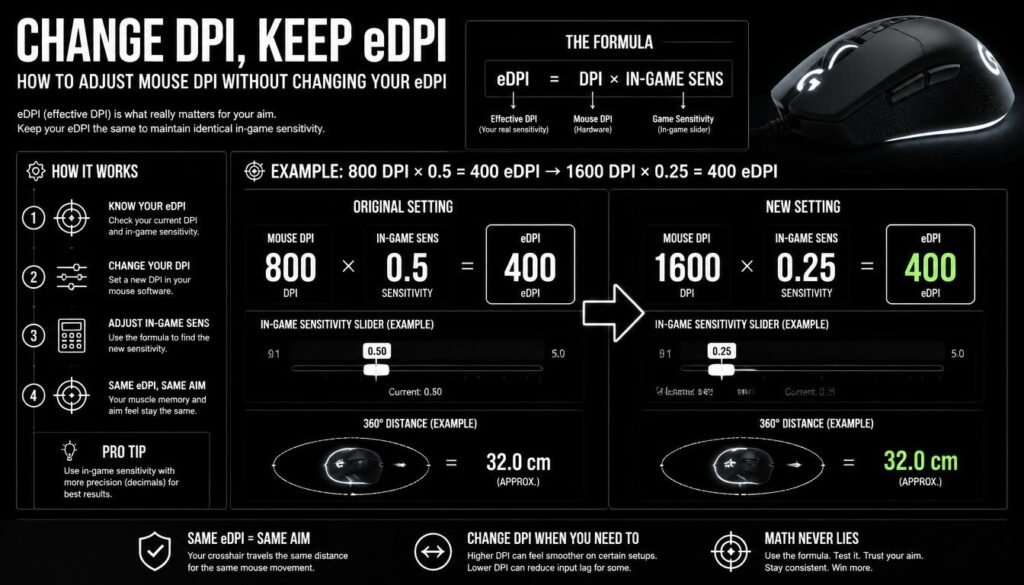
Sometimes you want to use a different mouse DPI but keep the same effective sensitivity.
In that case, keep your eDPI constant.
Use this formula:
New Sensitivity = Current eDPI ÷ New DPI
Example
Your current setup is:
- 800 DPI
- 0.5 sensitivity
- 400 eDPI
Now you want to use 1,600 DPI.
Calculate:
400 ÷ 1,600 = 0.25
So you can use:
1,600 DPI × 0.25 sensitivity = 400 eDPI
Your mouse DPI changes, but your eDPI stays the same.
This is useful when switching mice, changing DPI preferences, or setting up a new profile.
How to Calculate a New Sensitivity From Your Target eDPI
You can also work backward from the eDPI you want.
The formula is:
New Sensitivity = Target eDPI ÷ Mouse DPI
For example, suppose you want an eDPI of 360 and your mouse is set to 800 DPI.
360 ÷ 800 = 0.45
Your target settings would be:
800 DPI × 0.45 sensitivity = 360 eDPI
This makes it easy to create a specific eDPI without guessing.
eDPI Conversion Examples
| Mouse DPI | Game Sensitivity | eDPI |
|---|---|---|
| 400 | 1.0 | 400 |
| 800 | 0.5 | 400 |
| 1,000 | 0.4 | 400 |
| 1,600 | 0.25 | 400 |
| 800 | 0.75 | 600 |
| 1,600 | 0.375 | 600 |
These examples show that different DPI and sensitivity combinations can produce the same eDPI.
Can You Change eDPI in Every Game?
Yes, you can generally change the effective sensitivity in games that let you adjust mouse DPI and in-game sensitivity. However, the exact settings menu and sensitivity scale vary between games.
One important point is that the same eDPI does not always mean the same physical aiming distance across different games. Different games can use different sensitivity systems and input scales.
For that reason, avoid comparing eDPI numbers across unrelated games as though they were always directly interchangeable.
For a fair comparison, it can be better to look at additional measurements such as cm/360, which estimates how far you need to move your mouse to rotate 360 degrees.
How to Find Your Current eDPI
Finding your current eDPI only takes a few seconds.
Use:
eDPI = DPI × Sensitivity
For example:
- DPI = 800
- Sensitivity = 0.4
800 × 0.4 = 320 eDPI
Your current eDPI is 320.
You can use the same calculation whenever you change either value.
What Happens When You Change eDPI?
Changing eDPI changes how much your crosshair moves when you move your mouse.
A higher eDPI means less physical mouse movement is needed to move the crosshair a given amount.
A lower eDPI means you need more physical mouse movement for the same screen movement.
Your choice should depend on factors such as:
- Aim control
- Mousepad size
- Preferred play style
- Game type
- Desk space
- Personal comfort
There is no single eDPI that is perfect for everyone.
How Much Should You Change Your eDPI?
Large sensitivity changes can make your aim feel uncomfortable. A small adjustment is often easier to adapt to.
For example, instead of changing from 400 eDPI to 800 eDPI immediately, you could test a smaller increase such as 440 or 480 eDPI.
Try the new setting for a reasonable amount of practice before judging it. Constantly changing sensitivity after every bad game makes it difficult to build consistent muscle memory.
Common Mistakes When Changing eDPI
Changing DPI and Sensitivity at the Same Time
If you change both settings without calculating the result, you may accidentally make a much larger sensitivity change than intended.
Calculate the new eDPI first so you know exactly what you’re changing.
Copying Someone Else’s eDPI
A professional player’s settings can be useful as a starting point, but there is no guarantee they will feel right for you.
Mouse shape, pad size, posture, game, and personal preference all affect comfort.
Changing Sensitivity Too Often
Frequent adjustments can make it difficult to develop consistent aim.
Choose a sensible setting, practice with it, and make changes only when you have a clear reason.
Confusing DPI With eDPI
DPI and eDPI are not the same thing.
DPI is the mouse’s sensitivity setting.
eDPI combines mouse DPI with in-game sensitivity.
For example:
800 DPI × 0.5 sensitivity = 400 eDPI
Is a Higher or Lower eDPI Better?
Neither is automatically better.
A higher eDPI may feel more responsive for quick turns and smaller movements. A lower eDPI may provide a slower, more controlled feel and can require larger arm movements.
The right choice depends on how comfortable and consistent you are with the setting.
Instead of looking for a magic number, focus on whether you can comfortably track targets, make precise adjustments, and turn when needed.
How to Keep the Same eDPI When Changing DPI
If you want to change your mouse DPI but keep the same sensitivity feel, calculate your new in-game sensitivity.
Use:
New Sensitivity = Old DPI × Old Sensitivity ÷ New DPI
Example
Current setup:
- 800 DPI
- 0.5 sensitivity
First calculate your eDPI:
800 × 0.5 = 400
Now change your mouse to 1,600 DPI.
Calculate:
400 ÷ 1,600 = 0.25
New setup:
1,600 DPI × 0.25 = 400 eDPI
So your effective sensitivity remains unchanged.
Frequently Asked Questions About Changing eDPI
Can I change eDPI directly?
Usually, no. eDPI is a calculated value rather than a separate setting. You change your mouse DPI or in-game sensitivity to change it.
How do I increase my eDPI?
Increase your mouse DPI, increase your in-game sensitivity, or increase both. Use eDPI = DPI × sensitivity to calculate the result.
How do I decrease my eDPI?
Decrease your mouse DPI, decrease your in-game sensitivity, or decrease both.
Does changing DPI change eDPI?
Yes, unless you also change your in-game sensitivity to compensate. Increasing DPI while keeping sensitivity unchanged increases your eDPI.
Can I change DPI and keep the same eDPI?
Yes. Lower your in-game sensitivity when increasing DPI, or raise your sensitivity when lowering DPI.
What is the formula for eDPI?
The standard calculation is:
eDPI = Mouse DPI × In-Game Sensitivity
Is higher eDPI better for gaming?
Not necessarily. Higher eDPI makes aiming faster, while lower eDPI makes movements slower. The better setting is the one that gives you comfortable and consistent control.
Should I change my eDPI often?
Usually, no. Frequent sensitivity changes can make it harder to build consistent aim. Make small adjustments and give yourself time to adapt.
Conclusion
Learning how to change eDPI is simple once you understand the relationship between mouse DPI and in-game sensitivity. You do not normally change eDPI directly; instead, you adjust one or both of those settings.
Remember the core formula:
eDPI = Mouse DPI × In-Game Sensitivity
Use that formula to increase or lower your sensitivity, or to change your DPI while keeping the same effective sensitivity. Most importantly, choose a setting that feels comfortable and gives you consistent control rather than chasing a specific number.