
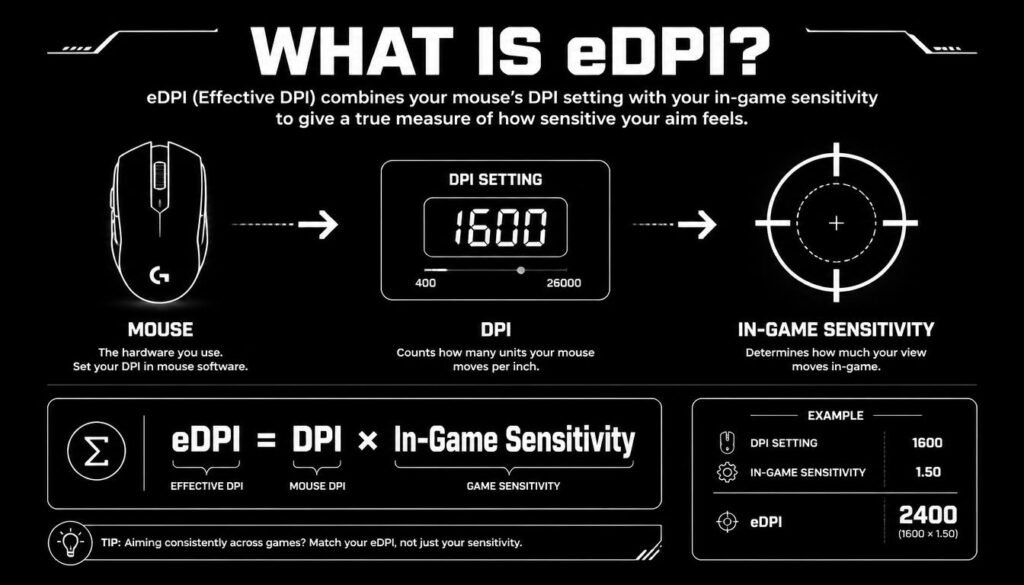
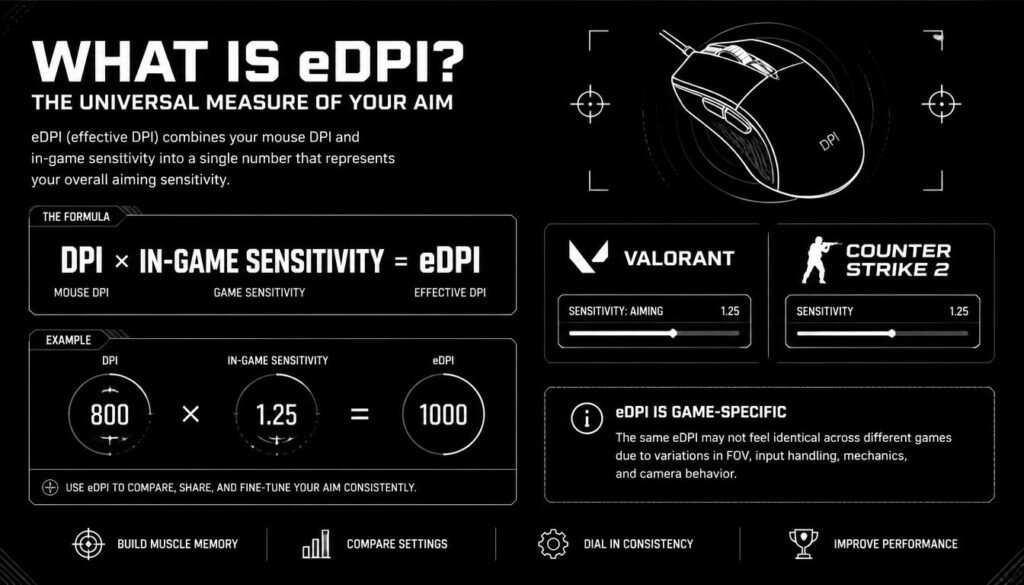
What is eDPI? eDPI stands for effective DPI. It is a simple way to measure your overall mouse sensitivity in a game by multiplying your mouse DPI by your in-game sensitivity.
eDPI formula:
eDPI = Mouse DPI × In-Game Sensitivity
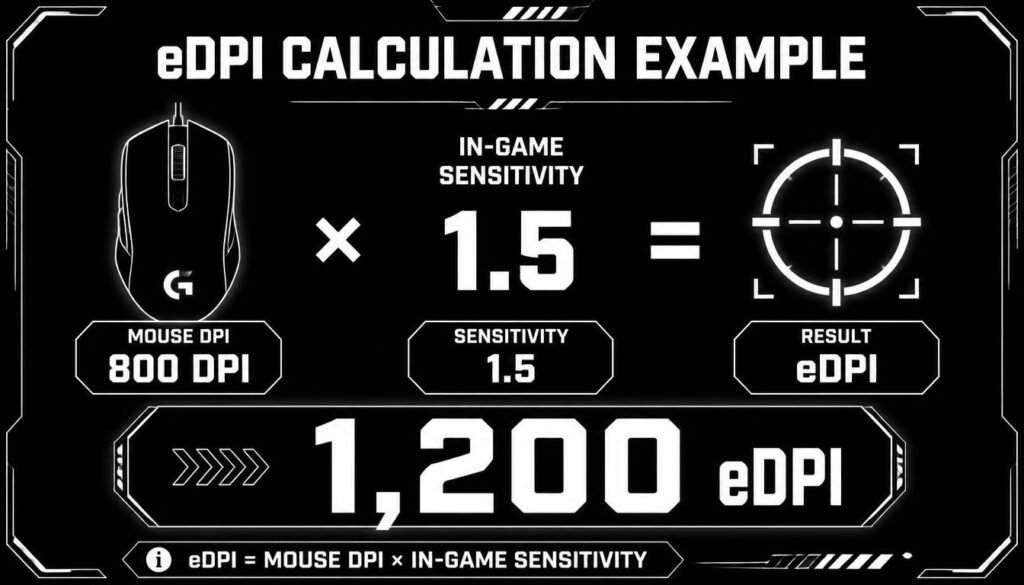
For example, if your mouse is set to 800 DPI and your game sensitivity is 1.5, your eDPI is:
800 × 1.5 = 1,200 eDPI
eDPI is useful because two players can use different mouse DPI and in-game sensitivity settings but still have a similar overall sensitivity. This makes it easier to compare settings, understand your aim, and reproduce a sensitivity across setups that use the same game’s sensitivity scale.
Table of Contents
What Is eDPI in Gaming?
eDPI is a number that combines your mouse DPI and in-game sensitivity into one value.
Instead of looking at two separate settings, you can use eDPI to get a quick idea of how sensitive your mouse feels in a particular game.
For example:
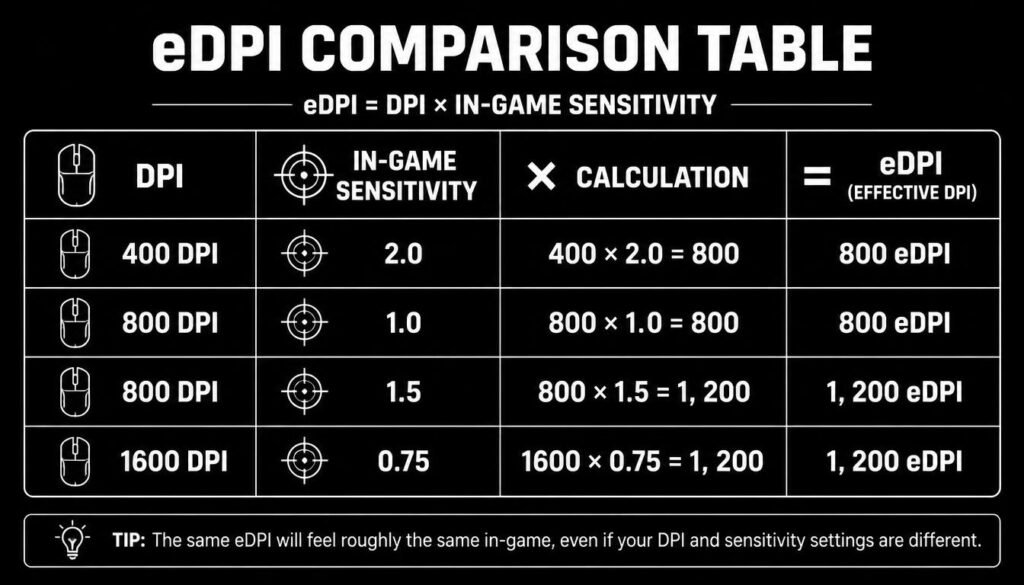
| Mouse DPI | In-Game Sensitivity | eDPI |
|---|---|---|
| 400 | 2.0 | 800 |
| 800 | 1.0 | 800 |
| 800 | 1.5 | 1,200 |
| 1600 | 0.75 | 1,200 |
| 1600 | 1.0 | 1,600 |
The first two setups have the same eDPI. That does not mean the entire experience is guaranteed to be identical in every situation, but it gives you a useful way to compare the overall sensitivity settings within the same game.
How Do You Calculate eDPI?
Calculating eDPI is straightforward.
Use this formula:
eDPI = DPI × In-Game Sensitivity
Example 1: 800 DPI and 1.0 Sensitivity
800 × 1.0 = 800 eDPI
Example 2: 800 DPI and 1.5 Sensitivity
800 × 1.5 = 1,200 eDPI
Example 3: 1600 DPI and 0.5 Sensitivity
1600 × 0.5 = 800 eDPI
This shows why eDPI can be useful when comparing players. Different combinations of DPI and sensitivity can produce the same eDPI.
Why Is eDPI Important?
eDPI gives gamers a simple way to compare mouse sensitivity.
If you only look at DPI, you are missing an important part of the equation. A player using 800 DPI with a very low in-game sensitivity can have a completely different overall sensitivity from another player using 800 DPI with a much higher sensitivity.
eDPI combines those values into one number.
It can help you:
- Compare sensitivity settings with other players
- Recreate a sensitivity after changing mouse DPI
- Understand whether your current setup is relatively fast or slow
- Experiment with new sensitivity settings
- Track your settings when switching between gaming setups
For competitive FPS games, having a clear understanding of sensitivity can make it easier to adjust your aim settings instead of changing random values without knowing what effect they have.
What Does a Higher or Lower eDPI Mean?
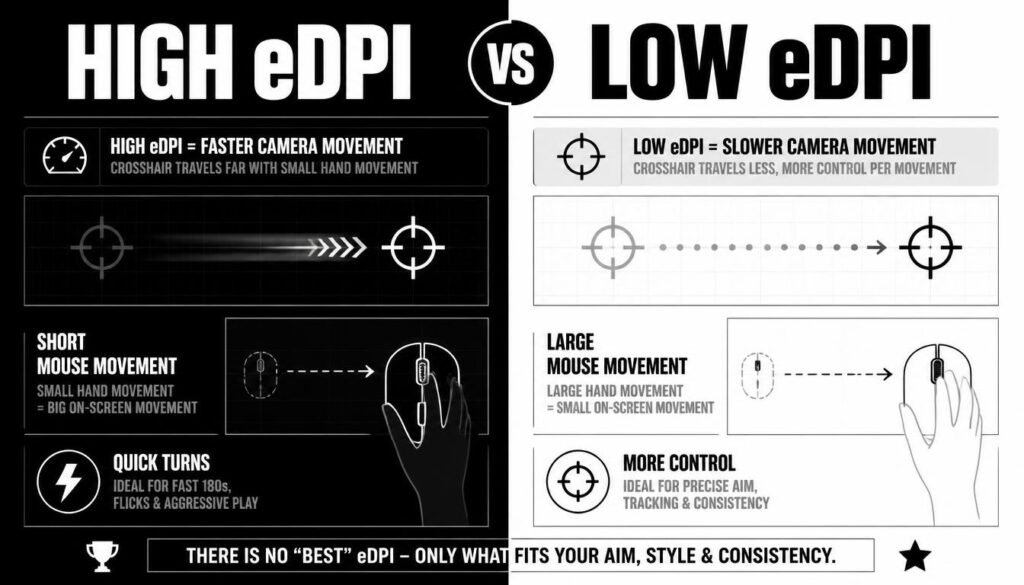
A higher eDPI generally means higher overall mouse sensitivity, while a lower eDPI generally means lower sensitivity.
With higher sensitivity, a small physical mouse movement can move your crosshair farther across the screen.
With lower sensitivity, you usually need more physical mouse movement to make the same large crosshair movement.
Neither is automatically better.
Your preferred sensitivity depends on your mouse control, available desk space, aiming style, and the game you play.
High eDPI
A higher eDPI can make quick turns and small mouse movements feel more responsive.
Some players like higher sensitivity because it requires less physical movement. However, very high sensitivity can feel harder to control for precise aiming.
Low eDPI
A lower eDPI usually requires larger mouse movements.
This can give players more physical space to make precise adjustments, but it may require a larger mousepad and more arm movement.
The best setting is the one that gives you reliable control rather than simply choosing the highest or lowest number.
eDPI vs DPI: What Is the Difference?
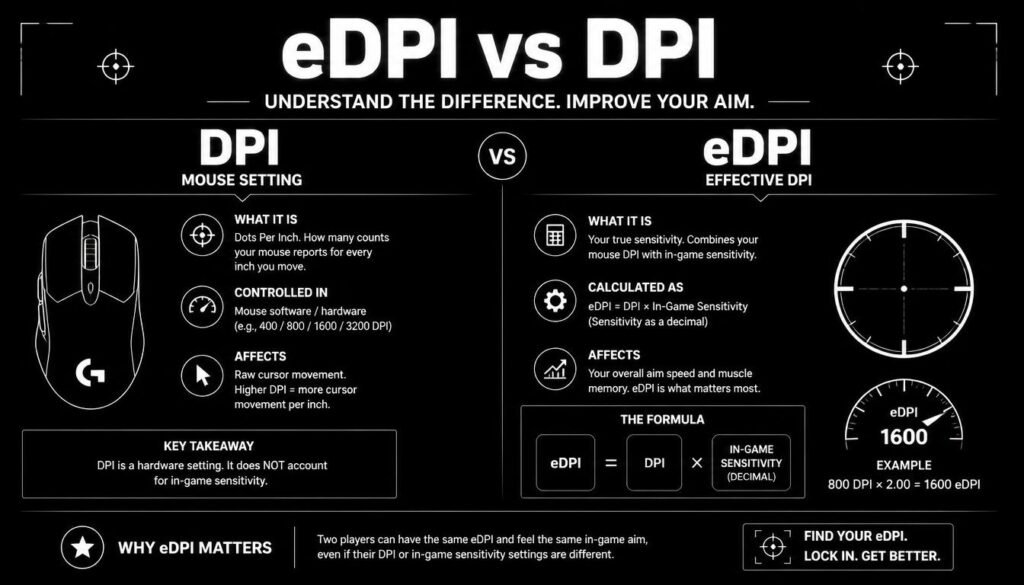
DPI and eDPI are related, but they are not the same thing.
DPI refers to the mouse sensor’s sensitivity setting. It tells you how many counts the mouse reports for a given physical distance.
eDPI combines your mouse DPI with the sensitivity value used by the game.
For example:
- DPI: 800
- In-game sensitivity: 1.2
- eDPI: 960
So, DPI is a mouse setting, while eDPI is a calculated value that represents the combination of DPI and in-game sensitivity.
Is eDPI the Same in Every Game?
No. eDPI is game-specific.
The same eDPI number does not necessarily mean the same physical mouse movement or turning distance in every game because different games can use different sensitivity scales and input systems.
For example, an eDPI of 800 in one game should not automatically be assumed to feel exactly the same as 800 eDPI in another game.
This is one of the biggest misunderstandings about eDPI.
When comparing eDPI, it is best to compare players using the same game.
What Is a Good eDPI?
There is no single eDPI that is best for everyone.
A good eDPI depends on your game, mouse control, play style, mousepad size, and personal preference.
Instead of trying to copy a number simply because another player uses it, pay attention to how consistently you can aim at different distances.
A useful sensitivity should let you:
- Track moving targets comfortably
- Make small corrections without over-aiming
- Turn quickly when necessary
- Control recoil effectively
- Maintain consistent aim over longer sessions
Your ideal eDPI may take some experimentation to find.
Can Two Players Have the Same eDPI?
Yes.
Two players can have the same eDPI while using different DPI and sensitivity combinations.
For example:
Player A
- 400 DPI
- 2.0 sensitivity
- 800 eDPI
Player B
- 800 DPI
- 1.0 sensitivity
- 800 eDPI
Both have an eDPI of 800.
However, matching eDPI does not guarantee that every part of their mouse setup is identical. Other factors, such as operating-system settings, game input behavior, mouse hardware, and technique, can affect the experience.
How Do You Change Sensitivity Without Changing eDPI?
You can change your mouse DPI and adjust your in-game sensitivity to keep the same eDPI.
Use this relationship:
New Sensitivity = Old eDPI ÷ New DPI
Example
Suppose your current setup is:
- 800 DPI
- 1.5 sensitivity
Your eDPI is:
800 × 1.5 = 1,200
Now you want to use 1600 DPI.
Calculate:
1,200 ÷ 1600 = 0.75
So your new setup can be:
- 1600 DPI
- 0.75 sensitivity
That keeps the calculated eDPI at 1,200.
This can be useful when changing mouse DPI while trying to maintain a similar sensitivity.
Is eDPI More Important Than Mouse DPI?
Not necessarily.
eDPI is helpful for understanding and comparing your sensitivity, but it is not the only setting that affects aiming.
Your actual gaming experience can also depend on factors such as:
- Mouse sensor behavior
- In-game input settings
- Windows pointer settings
- Mouse acceleration
- Polling rate
- Field of view
- Monitor resolution
- Framerate and frame consistency
- Your own aiming technique
That is why eDPI should be viewed as a useful measurement, not a complete description of your mouse setup.
eDPI and cm/360: What’s the Difference?
eDPI is a calculated sensitivity value based on DPI and in-game sensitivity.
cm/360 tells you how many centimeters you need to move your mouse to rotate your character approximately 360 degrees.
Both can be useful, but they answer slightly different questions.
eDPI is convenient when comparing sensitivity settings within the same game.
cm/360 can be useful when comparing the physical mouse movement needed to make a full turn, especially when discussing sensitivity across games. However, cross-game comparisons require care because games may process mouse input differently.
What Is eDPI in Valorant?
In Valorant, eDPI is calculated using your mouse DPI and Valorant sensitivity.
Valorant eDPI = Mouse DPI × Valorant Sensitivity
For example:
- 800 DPI
- 0.5 sensitivity
800 × 0.5 = 400 eDPI
Valorant players often use eDPI as a quick way to compare sensitivity settings.
Keep in mind that the number is meaningful specifically within Valorant’s sensitivity system. You should not assume the same eDPI number will produce the same feel in another game.
What Is eDPI in CS2?
In Counter-Strike 2, eDPI is commonly calculated as:
CS2 eDPI = Mouse DPI × CS2 Sensitivity
For example:
- 800 DPI
- 1.0 sensitivity
800 × 1.0 = 800 eDPI
CS2 players can use this number to compare sensitivity settings more easily.
Again, eDPI should primarily be used as a within-game comparison. A CS2 eDPI value should not be treated as a universal sensitivity measurement for every FPS game.
Common eDPI Mistakes
One common mistake is assuming that a higher eDPI automatically means better aim. It does not.
Another mistake is comparing eDPI numbers from completely different games as though the values are directly interchangeable.
Some players also focus so much on their calculated number that they ignore how the sensitivity actually feels during gameplay.
A better approach is to use eDPI as a starting point, then judge your settings based on control, consistency, and comfort.
How to Find Your Ideal eDPI
Finding your ideal eDPI usually takes some testing.
Start with a sensitivity that allows you to make both large movements and small adjustments comfortably. Then play for long enough to see whether your aim remains consistent.
If you regularly overshoot targets, your sensitivity may feel too high.
If you struggle to turn quickly or need to lift your mouse constantly, your sensitivity may feel too low.
Make small changes rather than changing your sensitivity dramatically every few matches. Consistency gives you a better chance to learn what actually works for you.
Frequently Asked Questions About eDPI
What does eDPI stand for?
eDPI stands for effective DPI. It is calculated by multiplying mouse DPI by in-game mouse sensitivity.
What is eDPI?
eDPI is a simple measurement used by gamers to compare overall mouse sensitivity. The basic formula is DPI × in-game sensitivity.
How do I calculate my eDPI?
Multiply your mouse DPI by your game’s sensitivity.
For example, 800 DPI × 1.2 sensitivity = 960 eDPI.
Is higher eDPI better?
No. A higher eDPI is not automatically better. The best eDPI depends on your control, play style, game, and personal preference.
Does the same eDPI feel the same in every game?
No. eDPI is generally best used to compare settings within the same game because different games can use different sensitivity systems.
Can I keep the same eDPI when changing DPI?
Yes. You can adjust your in-game sensitivity when changing mouse DPI.
Use:
New Sensitivity = Old eDPI ÷ New DPI
Is eDPI the same as sensitivity?
No. Sensitivity is an in-game setting, while eDPI combines that sensitivity with your mouse DPI into one calculated value.
What is the difference between eDPI and cm/360?
eDPI is a calculated number based on DPI and in-game sensitivity. cm/360 measures the physical distance your mouse must travel to turn 360 degrees in a game.
Conclusion: What Is eDPI?
So, what is eDPI? eDPI, or effective DPI, is a simple way to calculate your overall mouse sensitivity by multiplying your mouse DPI by your in-game sensitivity.
The formula is:
eDPI = DPI × In-Game Sensitivity
It is especially useful for comparing sensitivity settings in FPS games, changing DPI without changing your overall sensitivity, and understanding how different mouse settings relate to each other.
Just remember that eDPI is game-specific, and there is no universally perfect eDPI. Your best setting is the one that gives you consistent control and comfortable aim.