
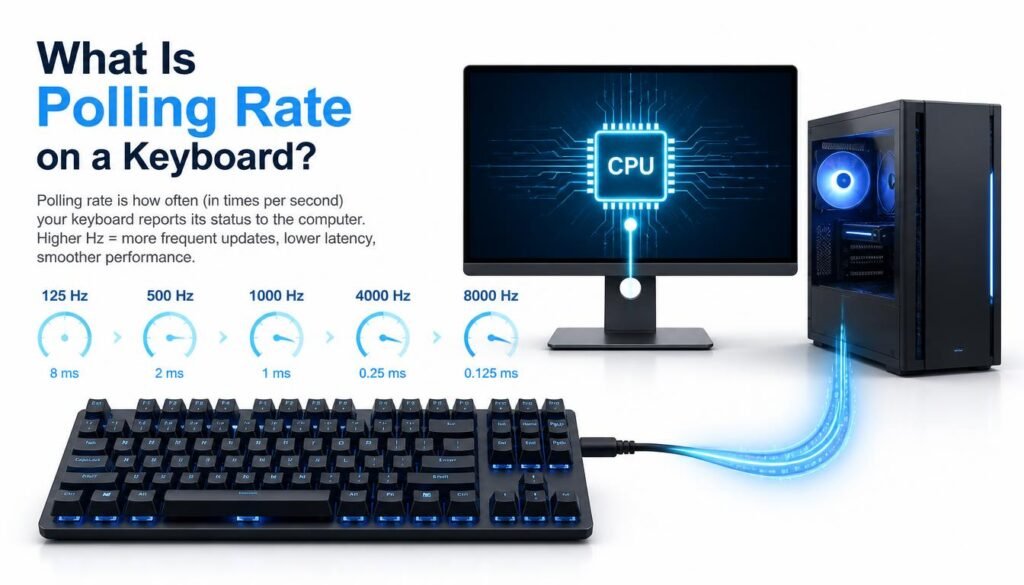
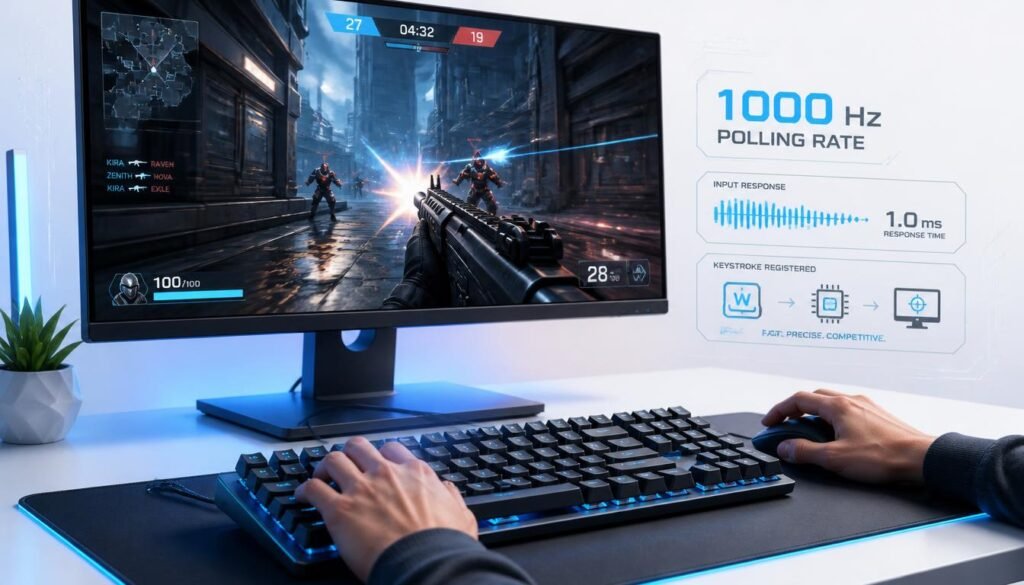
What is polling rate on a keyboard? Keyboard polling rate is the number of times per second a keyboard reports its key activity to a computer. A 1,000 Hz polling rate means the keyboard can send updates up to 1,000 times per second, while 125 Hz means up to 125 updates per second.
A higher polling rate can reduce the time between keyboard input and the computer receiving that input. But a higher number does not automatically make every keyboard feel faster. Your keyboard’s firmware, USB connection, operating system, games, and other hardware can also affect input behavior.
This guide explains how keyboard polling rate works, how to perform a keyboard polling rate test, and whether increasing the polling rate actually matters for everyday use or gaming.
Table of Contents
What Is Polling Rate on a Keyboard?
Polling rate is the frequency at which a keyboard communicates its input status to the computer. It is measured in Hertz (Hz), where one Hz represents one report per second.
For example:
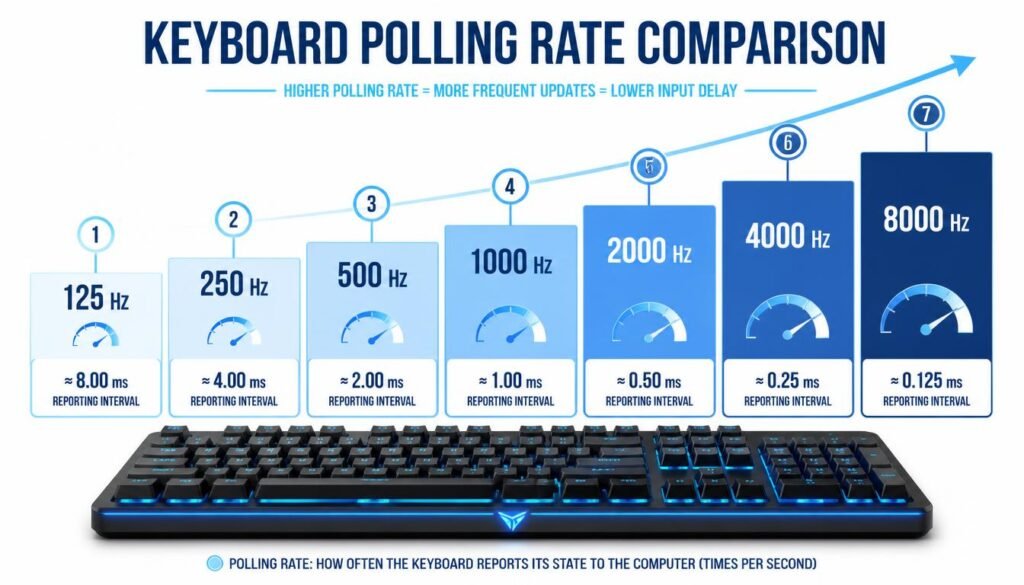
| Polling Rate | Maximum Reports Per Second | Approx. Reporting Interval |
|---|---|---|
| 125 Hz | 125 | 8 ms |
| 250 Hz | 250 | 4 ms |
| 500 Hz | 500 | 2 ms |
| 1,000 Hz | 1,000 | 1 ms |
| 2,000 Hz | 2,000 | 0.5 ms |
| 4,000 Hz | 4,000 | 0.25 ms |
| 8,000 Hz | 8,000 | 0.125 ms |
These intervals describe the polling schedule, not necessarily the total time from pressing a key to seeing a result on screen.
A simple way to think about it is that polling rate controls how often your computer gets an opportunity to receive a keyboard update.
How Does Keyboard Polling Rate Work?
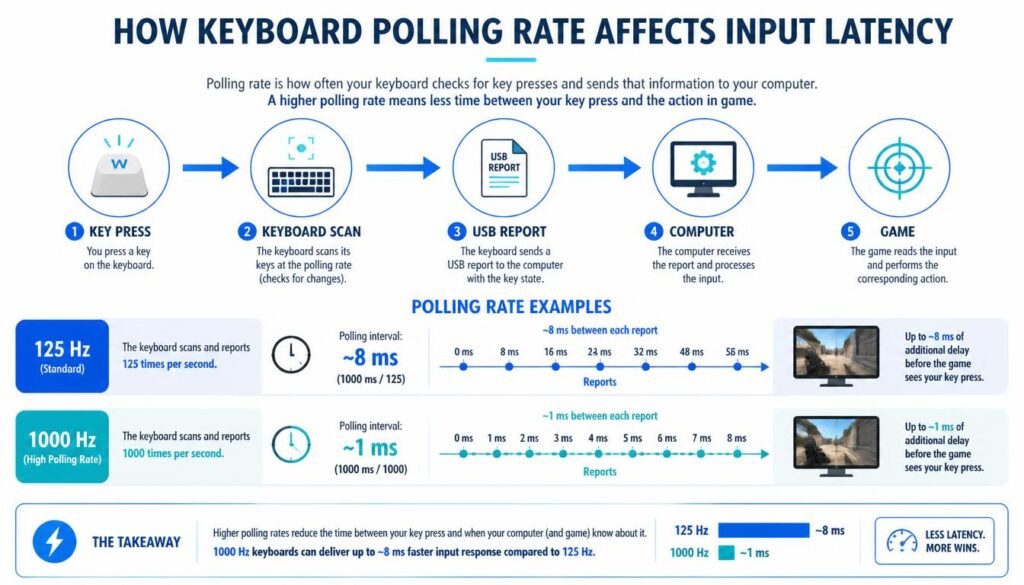
A keyboard continuously monitors its keys and communicates with the computer through its connection. The polling rate determines how frequently the keyboard is allowed to report its current input state.
Suppose you press a key immediately after a polling cycle has occurred. The computer may have to wait for the next report before receiving that change. A higher polling rate makes that waiting period shorter on average.
For example, at 1,000 Hz, one polling interval is about 1 millisecond. At 125 Hz, the interval is about 8 milliseconds.
This does not mean a 1,000 Hz keyboard is always exactly 7 milliseconds faster than a 125 Hz keyboard. Real input latency depends on the complete input chain, including switch behavior, keyboard scanning, firmware processing, USB communication, operating-system handling, and the application receiving the input.
What Is a Good Polling Rate for a Keyboard?
For most users, 1,000 Hz is already a high and practical keyboard polling rate. It provides frequent input reports without requiring an extremely high reporting frequency.
For normal typing, office work, browsing, and programming, the difference between 1,000 Hz and much higher polling rates may be difficult to notice.
Higher polling rates can be more relevant to competitive gaming, especially when the rest of the keyboard and computer are designed to minimize input latency. Even then, polling rate is only one part of the equation.
125 Hz vs. 500 Hz vs. 1,000 Hz
A 125 Hz keyboard reports up to 125 times per second, while a 500 Hz keyboard reports up to 500 times per second.
Moving from 125 Hz to 1,000 Hz reduces the polling interval from about 8 ms to about 1 ms. That is a much larger change than moving from 500 Hz to 1,000 Hz.
For everyday users, a reliable keyboard with consistent input behavior is generally more important than simply choosing the highest polling-rate number.
What Is a Keyboard Polling Rate Test?
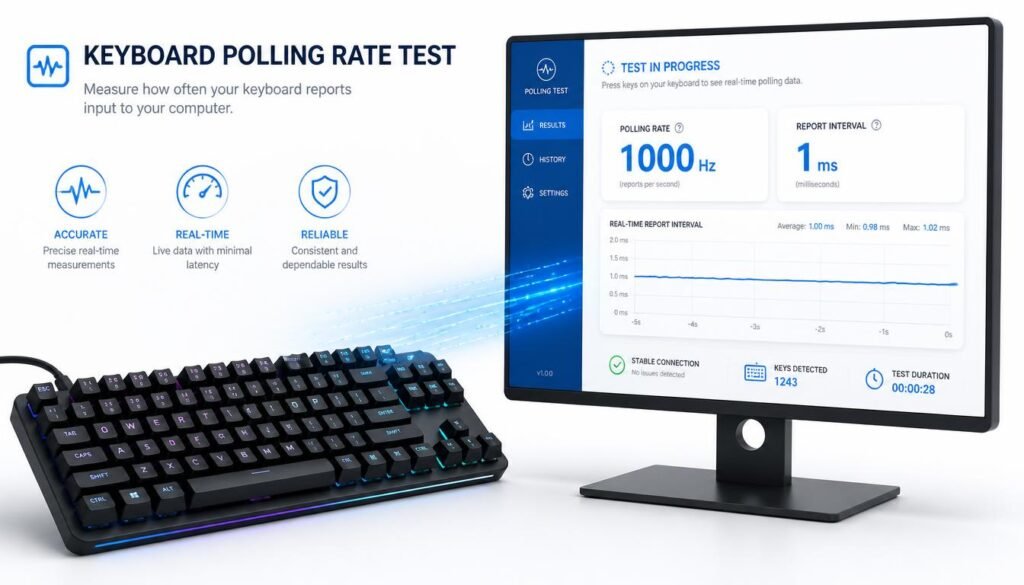
A keyboard polling rate test checks how frequently your keyboard sends input reports to the computer. The test can help you determine whether the device is actually operating close to its advertised polling rate.
A polling-rate testing tool may monitor keyboard events while you press keys and estimate the reporting frequency based on the timing of those events.
The result can vary depending on the testing method. Some online tools estimate polling behavior from browser keyboard events, while hardware or specialized software can provide more detailed measurements.
How to Test Your Keyboard Polling Rate
You can check your keyboard’s polling behavior with a compatible keyboard polling rate test tool.
Follow these basic steps:
- Connect your keyboard directly to your computer. Avoid unusual adapters or hubs while testing if possible.
- Open a reputable keyboard polling rate test.
- Press and hold or repeatedly press a key as instructed by the test.
- Generate enough input data for the tool to measure the timing between reports.
- Review the reported polling rate or interval.
- Compare the result with your keyboard manufacturer’s specifications.
Do not expect the measured value to remain perfectly fixed at the advertised number. Real-world measurements can fluctuate because of the testing environment, key behavior, software, and measurement method.
How Accurate Is an Online Keyboard Polling Rate Test?
An online keyboard polling rate test can be useful for a quick check, but it should not always be treated as a laboratory-grade measurement.
Browser-based testing has limitations because keyboard events pass through the browser and operating system before they are exposed to the webpage. The browser may also process or schedule events in ways that affect the measurement.
For a basic check, an online test can answer questions such as:
- Is the keyboard behaving roughly as expected?
- Does the polling behavior appear consistent?
- Is the reported rate substantially different from the manufacturer’s specification?
For detailed latency testing, specialized hardware and measurement tools provide a more controlled approach.
Does a Higher Keyboard Polling Rate Reduce Input Lag?
Yes, a higher polling rate can reduce the waiting time associated with keyboard reporting, but it does not eliminate all keyboard input latency.
Keyboard input latency is made up of multiple stages. These can include:
Key press → switch detection → keyboard scan → firmware processing → USB report → operating system → application/game → display
Polling rate mainly affects the reporting part of this chain.
That is why comparing keyboards only by polling rate can be misleading. A keyboard with a higher advertised polling rate is not automatically faster in every real-world situation.
Is 8,000 Hz Better Than 1,000 Hz for a Keyboard?
An 8,000 Hz polling rate provides reports up to every 0.125 milliseconds, compared with approximately 1 millisecond at 1,000 Hz.
On paper, that reduces the maximum polling interval. However, the practical benefit can be much smaller than the headline numbers suggest.
The rest of the system still matters. If another part of the input path introduces more delay, increasing the polling rate alone cannot remove that delay.
For many users, 1,000 Hz offers a sensible balance between frequent reporting and practical usefulness. Enthusiasts and competitive gamers may still prefer higher polling rates when their hardware and software support them.
What Is the Difference Between Polling Rate and Scan Rate?
Polling rate and keyboard scan rate are related, but they are not the same thing.
Polling rate describes how often the keyboard reports information to the host computer.
Scan rate describes how frequently the keyboard’s controller scans its keys to detect changes.
A keyboard can scan its keys very frequently but communicate with the computer at a lower polling rate. Because these are separate parts of the input process, you should not assume that a high polling rate automatically means the keyboard has an equally high scan rate.
Does Polling Rate Matter for Typing?
For general typing, polling rate usually matters less than keyboard feel, switch behavior, key stability, layout, and consistency.
Most people will not notice a dramatic improvement in normal typing simply by moving from a standard polling rate to an extremely high one.
For fast or competitive input, however, every stage of the input system can become more relevant. Users who care about latency may want to compare polling rate alongside switch type, scan rate, firmware behavior, and measured input latency.
Does Polling Rate Matter for Gaming?
Polling rate can matter in gaming because frequent reports can reduce the time between input updates.
The effect is most relevant in games where rapid keyboard actions are important and the rest of the system is capable of responding quickly.
Still, polling rate should not be viewed as a shortcut to better gaming performance. Frame rate, frame time, display refresh rate, game engine behavior, network latency, and other hardware factors can have a much larger impact on how responsive a game feels.
What Polling Rate Should You Use for Gaming?
For most gaming keyboards, 1,000 Hz is a strong baseline. It provides a 1 ms polling interval and is widely supported.
Higher rates such as 2,000 Hz, 4,000 Hz, or 8,000 Hz may be useful for some enthusiast or competitive setups, but the benefit depends on the keyboard and the rest of the system.
A practical approach is to use the highest setting that is stable and supported by your keyboard and system, rather than choosing a number simply because it is larger.
Common Misconceptions About Keyboard Polling Rate
Higher Polling Rate Does Not Equal Zero Latency
Polling rate only covers one portion of the input process. A keyboard still needs to detect the physical key press and process it before the computer receives the report.
Advertised Polling Rate Is Not the Same as Measured Latency
A keyboard rated at 8,000 Hz does not mean every key press will have exactly 0.125 ms of total latency.
The polling frequency describes how often reports can occur. Total input latency includes additional stages.
A Higher Polling Rate Is Not Always Noticeable
Increasing polling rate from a conventional setting to a much higher value may produce a measurable difference without creating an obvious difference during normal typing.
An Online Test Is Only One Measurement
Different keyboard polling rate test tools can use different methods. Results should be interpreted as an estimate of reporting behavior rather than an absolute measure of total keyboard latency.
How to Improve Keyboard Input Responsiveness
If your goal is lower input latency, look beyond polling rate alone.
Start by making sure your keyboard is connected correctly and that its firmware or configuration software is up to date. Check the keyboard’s available polling-rate settings and use a direct USB connection when appropriate.
For gaming, also consider your game’s settings, frame-time consistency, display refresh rate, and other parts of the input pipeline. A balanced system is more useful than focusing on one specification.
Keyboard Polling Rate vs. Response Time
Polling rate and response time are related but different concepts.
Polling rate tells you how often the keyboard can report to the computer. Response time describes how quickly the system reacts to an input event.
A keyboard can have a high polling rate and still have additional delays caused by its switch technology, scanning process, firmware, or other components.
This distinction is important when comparing gaming keyboards. Looking at polling rate alone does not provide a complete picture of responsiveness.
Frequently Asked Questions
What is polling rate on a keyboard?
Polling rate is how many times per second a keyboard can report its input state to the computer. It is measured in Hertz (Hz), such as 125 Hz, 500 Hz, or 1,000 Hz.
Is 1,000 Hz good for a keyboard?
Yes. A 1,000 Hz polling rate provides a reporting interval of about 1 millisecond and is more than adequate for most typing and gaming uses.
Is 8,000 Hz polling rate worth it?
It can be useful for users who want to minimize reporting intervals and have hardware that supports the higher rate. However, the real-world improvement over 1,000 Hz may be small because polling rate is only one part of total input latency.
How can I test my keyboard polling rate?
Use a compatible keyboard polling rate test, generate enough key input for the tool to measure reporting frequency, and compare the result with your keyboard’s specifications. Online tests provide an estimate and may not measure total keyboard latency.
Does keyboard polling rate affect FPS?
Polling rate does not directly increase your game’s frames per second. It can affect how frequently keyboard input is reported, which is a separate issue from rendering performance.
What is the difference between 125 Hz and 1,000 Hz?
At 125 Hz, the maximum polling interval is about 8 milliseconds. At 1,000 Hz, it is about 1 millisecond. The higher rate allows more frequent reports.
Does polling rate matter for mechanical keyboards?
Polling rate can matter for mechanical keyboards, especially when minimizing input latency is a priority. However, mechanical switches, scan rate, firmware, and other components also affect the overall response.
Can a keyboard polling rate test be wrong?
Yes. Test results can vary because of the testing method, browser behavior, operating system scheduling, connection type, and keyboard firmware. For precise latency measurements, specialized testing equipment is more appropriate.
Conclusion
Understanding what is polling rate on a keyboard starts with a simple idea: it is the frequency at which a keyboard reports input to your computer. A higher polling rate means more frequent reports and a shorter polling interval, but it does not represent total keyboard latency by itself.
For most users, 1,000 Hz is a practical and capable setting. A keyboard polling rate test can help you check whether your device is behaving roughly as expected, while more advanced testing is needed for precise latency measurements. The best keyboard setup is not simply the one with the highest polling-rate number; it is the one that provides consistent, responsive input across the entire system.