
What does polling rate do on a mouse? Mouse polling rate determines how often your mouse reports its position and button activity to your computer. It is measured in Hertz (Hz), so a 1,000 Hz polling rate means the mouse sends data up to 1,000 times per second.
A higher polling rate can make mouse movement feel smoother and reduce the delay between moving your mouse and your computer receiving that movement. However, a higher number is not automatically better for everyone. Your monitor, games, computer performance, and personal preferences all matter.
Table of Contents
What Does Polling Rate Do on a Mouse?
Mouse polling rate controls how frequently the mouse communicates with your computer.
For example:
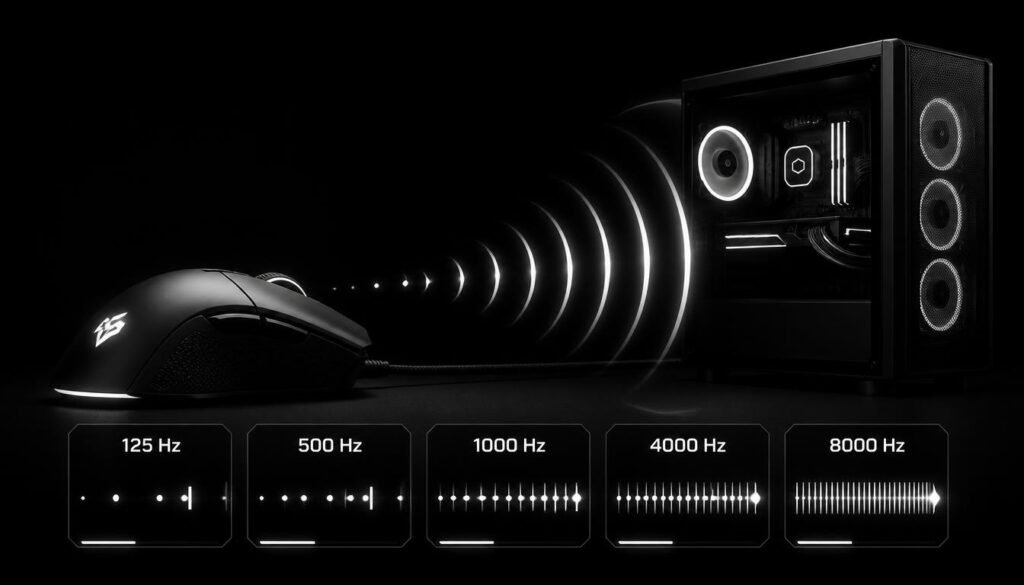
- 125 Hz: reports every 8 milliseconds
- 250 Hz: reports every 4 milliseconds
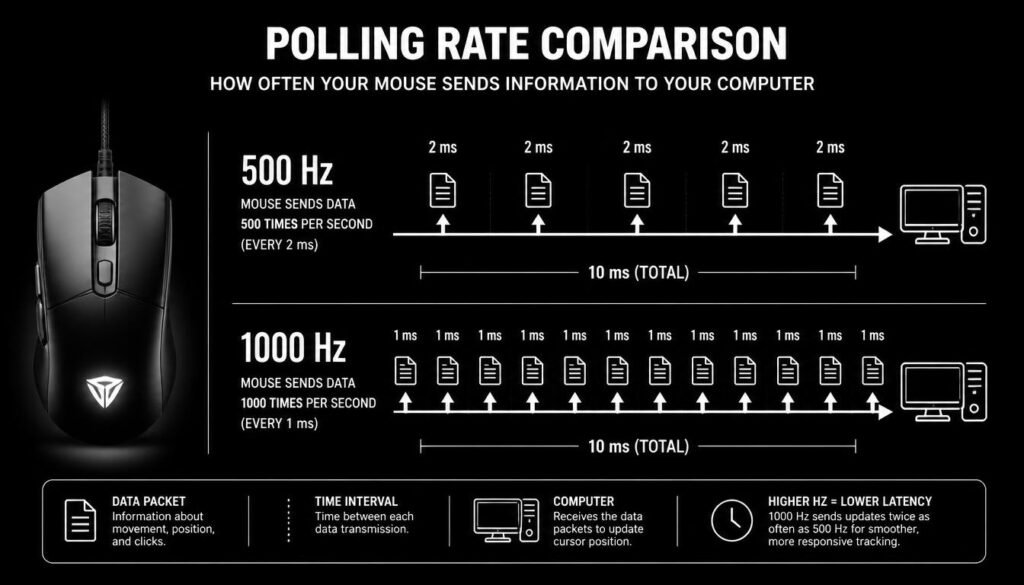
- 500 Hz: reports every 2 milliseconds
- 1,000 Hz: reports every 1 millisecond
- 2,000 Hz: reports every 0.5 milliseconds
- 4,000 Hz: reports every 0.25 milliseconds
- 8,000 Hz: reports every 0.125 milliseconds
The basic idea is simple: the higher the polling rate, the more frequently the computer receives updated mouse data.
This can affect how smooth and responsive your cursor or in-game crosshair feels, particularly during fast mouse movements.
How Does Mouse Polling Rate Work?
A mouse constantly tracks its movement using a sensor. The polling rate determines how often it sends the latest information to the computer.
Suppose you move your mouse quickly from left to right. At a lower polling rate, the computer receives fewer updates during that movement. At a higher polling rate, it receives updates more frequently.
That can make rapid movement appear more continuous, especially when paired with a high-refresh-rate monitor.
A Simple Example
Imagine a mouse moving across your desk.
At 125 Hz, the mouse can send an update every 8 milliseconds.
At 1,000 Hz, it can send an update every 1 millisecond.
The computer therefore gets much more frequent position updates at 1,000 Hz. The difference is small in absolute time, but competitive players may notice improvements in how movement feels.
Does a Higher Polling Rate Make a Mouse Faster?
Not exactly. Polling rate does not increase the physical speed of your mouse. Instead, it increases how frequently your computer receives information from the mouse.
Your mouse’s physical movement speed depends on other factors, including sensor tracking, sensitivity, DPI, and how quickly you move your hand.
Think of polling rate as the communication frequency between the mouse and PC rather than the speed of the mouse itself.
What Is the Difference Between Polling Rate and DPI?
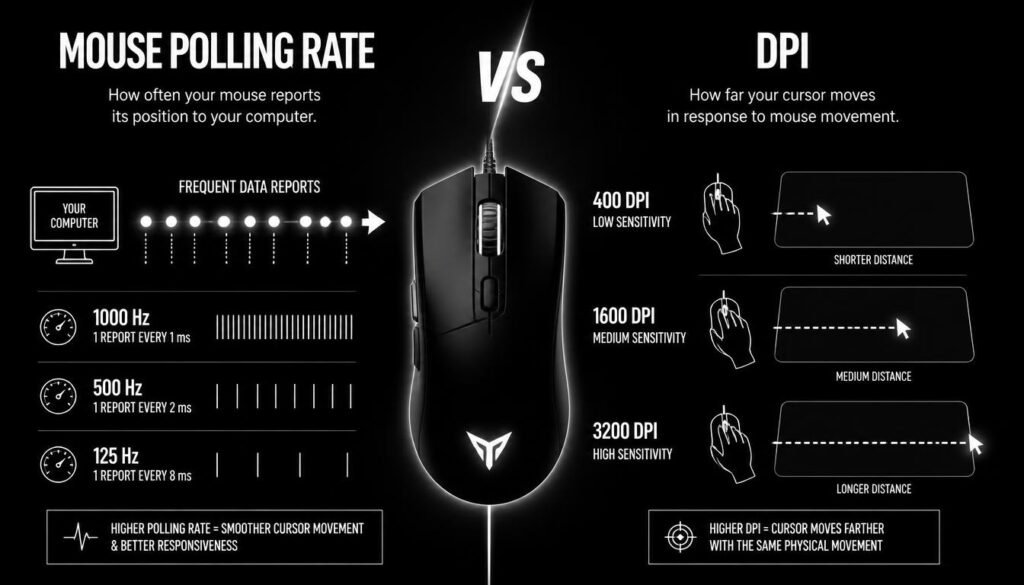
Polling rate and DPI are often confused, but they control different things.
DPI determines how much cursor movement the mouse produces for a given physical movement.
Polling rate determines how often the mouse reports that movement to the computer.
| Feature | What It Controls |
|---|---|
| DPI | Cursor movement distance |
| Polling rate | How often movement is reported |
| Sensitivity | How responsive cursor movement feels |
| Mouse sensor | How accurately movement is tracked |
For example, changing from 800 DPI to 1,600 DPI changes how far the cursor moves when you move the mouse. Changing from 500 Hz to 1,000 Hz changes how frequently movement data is sent to the computer.
Does a Higher Polling Rate Reduce Input Lag?
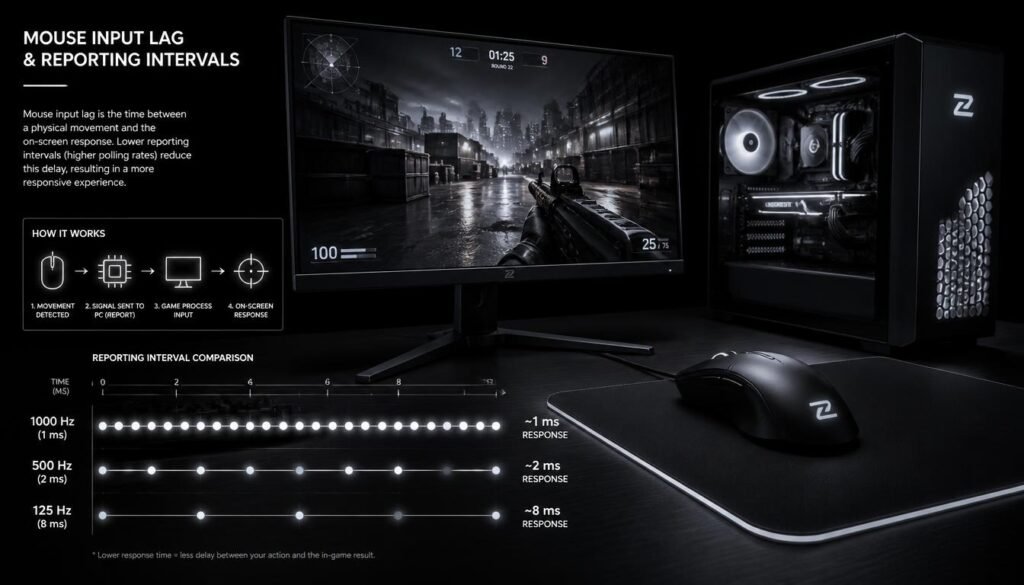
Yes, a higher polling rate can reduce mouse reporting delay, but the total input lag of a system involves much more than polling rate.
A simplified example shows why:
At 125 Hz, one polling interval is about 8 ms.
At 1,000 Hz, one polling interval is about 1 ms.
That reduces the maximum interval between reports, but your overall input experience also depends on the mouse, USB connection, game, CPU, GPU, display refresh rate, and other parts of the system.
So moving from 125 Hz to 1,000 Hz can make a meaningful difference, while moving from 4,000 Hz to 8,000 Hz may be much harder for many people to notice.
What Polling Rate Should You Use?
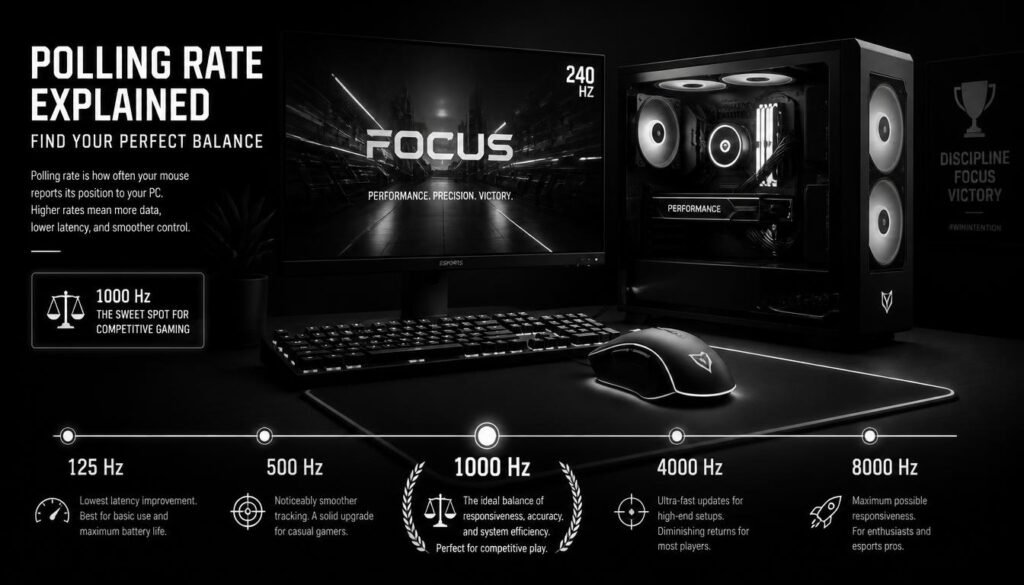
For most users, 500 Hz or 1,000 Hz is a practical polling rate.
A good starting point is:
- 125 Hz: basic use and older hardware
- 500 Hz: good general-purpose setting
- 1,000 Hz: excellent choice for gaming and everyday use
- 2,000–4,000 Hz: useful for enthusiasts with compatible hardware
- 8,000 Hz: aimed mainly at users who want extremely high reporting rates and have hardware that can handle them
There is no single polling rate that is best for every mouse or every computer.
For competitive gaming, 1,000 Hz remains a sensible baseline, while higher rates can be tested if your mouse and system support them.
Is 1000 Hz Polling Rate Good for Gaming?
Many gamers use 1,000 Hz because it offers a good balance between responsiveness and system overhead.
For games that involve fast aiming, tracking, or rapid camera movement, a consistent high polling rate can help mouse input feel smoother.
However, increasing polling rate will not suddenly make someone a better player. Skill, sensitivity, mouse control, frame rate, and display performance still have a much larger effect on the overall experience.
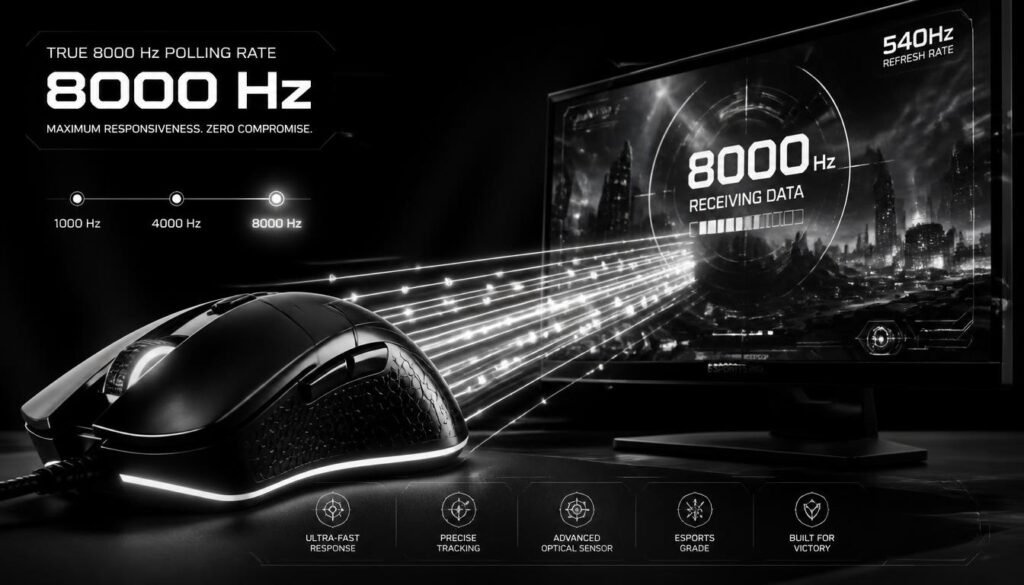
Is 8000 Hz Polling Rate Better Than 1000 Hz?
An 8,000 Hz mouse reports data much more frequently than a 1,000 Hz mouse.
At 1,000 Hz, the polling interval is 1 ms.
At 8,000 Hz, it is 0.125 ms.
That sounds like a major improvement, but the practical difference is not always dramatic. Higher polling rates can also increase the amount of data the computer has to process.
For some gaming systems, especially those already running at high frame rates, 4,000 Hz or 8,000 Hz can be useful. For many users, though, 1,000 Hz is already more than sufficient.
Can a High Polling Rate Hurt FPS?
A very high polling rate can increase CPU workload because the computer has to process mouse reports more frequently.
The effect depends on the game, CPU, software, and hardware configuration. On a modern system, the impact may be small, but older or CPU-limited systems can be more sensitive to high polling rates.
If switching to a higher polling rate causes stuttering or inconsistent performance, lowering the polling rate may provide a better overall experience.
Stable performance is usually more useful than choosing the highest number available.
Does Polling Rate Affect Cursor Smoothness?
Yes. A higher polling rate can make cursor movement appear smoother because the system receives more frequent position updates.
The difference becomes easier to appreciate when using:
- High-refresh-rate monitors
- Large mouse movements
- Fast camera movement in games
- High frame rates
- Low-latency gaming setups
On a standard desktop monitor, the difference between moderate and extremely high polling rates may be less noticeable.
Does Monitor Refresh Rate Matter?
Yes. Polling rate and monitor refresh rate are separate settings, but they work together.
A monitor’s refresh rate, such as 60 Hz, 144 Hz, 240 Hz, or 360 Hz, determines how often the display updates the image.
Your mouse’s polling rate determines how often the computer receives mouse data.
For example, a 1,000 Hz mouse can provide frequent input updates even when connected to a 60 Hz monitor. However, a high-refresh-rate display gives you more opportunities to see the benefit of frequent updates.
This is one reason high polling rates are more relevant to competitive gaming than ordinary office work.
Does Polling Rate Affect Mouse Accuracy?
Not directly. Polling rate and accuracy are different concepts.
A high polling rate means the mouse sends information more frequently. It does not automatically make the sensor more accurate.
Accuracy depends on factors such as:
- Sensor quality
- Tracking performance
- Surface compatibility
- DPI settings
- Firmware
- Mouse implementation
A well-designed mouse at 1,000 Hz can track movement accurately, while simply increasing the polling rate does not fix a poor sensor.
How to Change Mouse Polling Rate
The exact process depends on the mouse brand and model.
Usually, you can change the polling rate through the manufacturer’s mouse software.
Step 1: Install the Mouse Software
Download the official configuration software for your mouse.
Step 2: Find the Performance Settings
Look for a setting labeled Polling Rate, Report Rate, or something similar.
Step 3: Choose a Rate
Select options such as 125 Hz, 500 Hz, 1,000 Hz, 2,000 Hz, 4,000 Hz, or 8,000 Hz, depending on what your mouse supports.
Step 4: Test It
Move the cursor around, play your normal games, and check whether the mouse feels responsive and stable.
If you notice unusual CPU usage, stuttering, or inconsistent performance at a very high polling rate, try a lower setting.
What Is the Best Polling Rate for a Mouse?
For most people, 1,000 Hz is a safe all-around choice.
It provides frequent input updates without requiring the extreme reporting frequency of 4,000 Hz or 8,000 Hz.
Competitive players with compatible hardware may prefer a higher rate, especially when using very high-refresh-rate displays. Casual users generally do not need to chase the highest polling rate available.
The best setting is the one that gives you smooth, reliable performance on your own system.
Common Mouse Polling Rate Mistakes
One common mistake is assuming that higher always means better. A higher polling rate can improve responsiveness, but the improvement becomes less noticeable as you move into very high polling rates.
Another mistake is confusing polling rate with DPI. Raising DPI does not increase the polling frequency, and raising polling rate does not directly increase cursor speed.
It is also easy to overlook system performance. A high polling rate is only useful when the rest of your setup can maintain stable performance.
Does Polling Rate Matter for Regular Computer Use?
For browsing, writing documents, watching videos, and basic desktop tasks, polling rate usually makes only a small practical difference.
A standard setting such as 500 Hz or 1,000 Hz is typically more than enough for everyday use.
Polling rate becomes more relevant when you care about very responsive mouse input, particularly in fast-paced games or other applications involving precise movement.
Polling Rate vs Refresh Rate: What’s the Difference?
Polling rate describes how frequently the mouse reports input.
Refresh rate describes how frequently the display refreshes the image.
For example:
- A 1,000 Hz mouse reports mouse data every 1 ms.
- A 144 Hz monitor refreshes about every 6.94 ms.
- A 240 Hz monitor refreshes about every 4.17 ms.
- A 360 Hz monitor refreshes about every 2.78 ms.
These values are not interchangeable. A faster mouse polling rate does not turn a 60 Hz monitor into a 144 Hz display.
Does Polling Rate Matter for FPS Games?
Yes, especially in competitive FPS games where quick mouse movements and precise aiming matter.
A higher polling rate can provide more frequent input updates, which may make fast camera movements feel smoother and more responsive.
Still, polling rate is only one part of a low-latency gaming setup. Your game’s frame rate, monitor refresh rate, system performance, mouse sensor, and connection all contribute to the final result.
FAQ About Mouse Polling Rate
What does polling rate do on a mouse?
Polling rate determines how often a mouse sends movement and button information to the computer. A higher polling rate means more frequent reports and a shorter interval between updates.
Is 1000 Hz better than 500 Hz?
For many gamers, yes. A 1,000 Hz polling rate updates twice as frequently as 500 Hz and reduces the polling interval from 2 ms to 1 ms. The difference may be noticeable in responsive gaming setups.
Is 8000 Hz worth it?
It depends on your hardware and preferences. An 8,000 Hz polling rate can provide extremely frequent updates, but the improvement over 1,000 Hz or 4,000 Hz may be subtle for many users.
Does polling rate increase FPS?
Not directly. Polling rate controls mouse reporting frequency rather than the game’s frame rate. Very high polling rates can increase CPU workload in some systems, so the effect on overall performance depends on the hardware and software.
What polling rate is best for gaming?
1,000 Hz is a good starting point for most gamers. Players with compatible high-end systems may experiment with 2,000 Hz, 4,000 Hz, or 8,000 Hz.
Does a higher polling rate make a mouse more accurate?
No. Polling rate controls how often movement is reported, while sensor quality and tracking performance are more closely related to accuracy.
Is 125 Hz polling rate too low?
It can feel less responsive than 500 Hz or 1,000 Hz, particularly during fast mouse movement. It can still work for basic desktop tasks, but most modern gaming mice offer higher settings.
Does polling rate matter on a laptop?
Yes, but the practical benefit depends on what you are doing. For normal browsing and office work, the difference may be minor. For gaming, a higher polling rate can improve the responsiveness of mouse input when the laptop’s hardware and software support it.
Conclusion
What does polling rate do on a mouse? It controls how frequently your mouse reports its movement and button activity to your computer. A higher polling rate reduces the time between reports, which can make mouse input feel smoother and more responsive.
For most people, 500 Hz to 1,000 Hz is a practical range, with 1,000 Hz being a strong choice for gaming. Higher settings such as 4,000 Hz or 8,000 Hz can be useful for enthusiast and competitive setups, but they are not automatically better for every user.
The best polling rate is ultimately the one that gives you smooth, stable input without creating unnecessary system overhead.